

IO Launcher (Lollipop + iOS 8)
IO Launcher (Lollipop + iOS 8) screenshots (6)
Description IO Launcher (Lollipop + iOS 8)
Ever wished your Android phone could have the sleek, iconic look of an iPhone, but without the price tag or the limitations? What if you could transform your device's entire interface with just a few taps, unlocking a world of customization that feels both fresh and familiar?
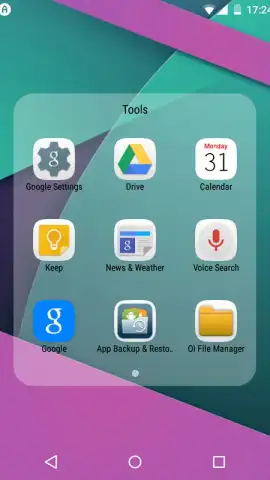
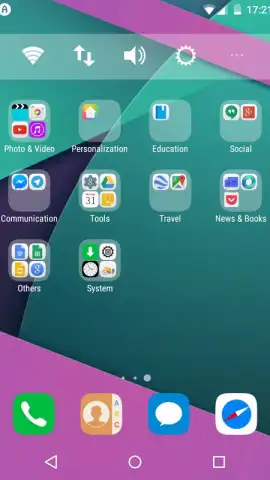
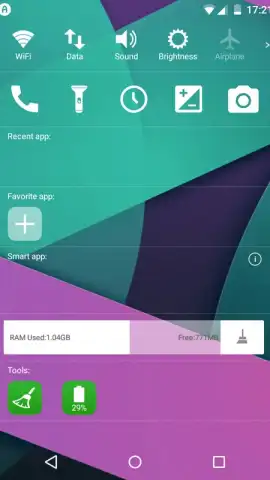
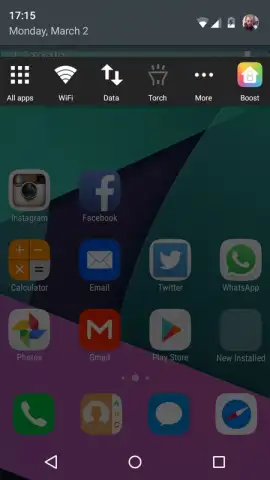
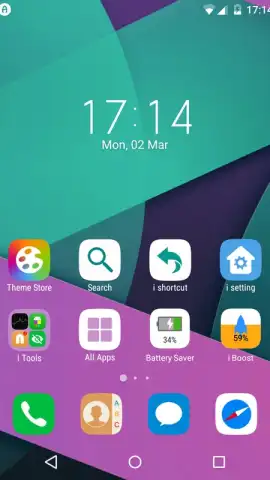
IO Launcher makes this a reality. This highly flexible launcher completely re-skins your Android system, delivering a visual experience that mirrors the clean, intuitive interface of Apple's iOS 8. Upon installation, it intelligently scans all your apps and organizes them directly onto your home screens, sorting them into logical, thematic folders. This means you see every single app icon right from the start, eliminating endless scrolling through an app drawer. The transformation extends to widgets, providing iOS-style tools right on your desktop for monitoring storage, clearing temporary files, and checking system status at a glance.
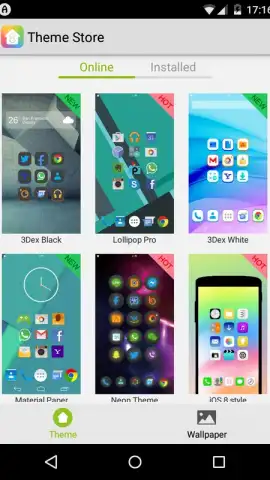
The experience is streamlined and focused. You gain access to a powerful theme engine directly from the launcher's menu, allowing you to push the customization even further. Imagine giving your Android the distinctive flair of a Samsung Galaxy S or the minimalist aesthetic of a Sony Xperia. The real creative power lies in mixing and matching: you combine icon packs from various themes, pair them with dynamic wallpapers, select slick transition animations, and choose from multiple menu styles to craft a layout that is uniquely yours.
- Complete iOS 8 Interface Makeover: Replaces your Android system visuals with the polished, recognizable look and feel of iOS 8, from icons to system elements.
- Intelligent App Organization: Automatically scans and places all your app icons on the home screen, neatly categorized into thematic folders for instant access.
- iOS-Inspired Widget Suite: Adds functional desktop widgets similar to those on iPhone and iPad, including tools for storage cleanup and system monitoring.
- Expansive Theme Gallery: Download additional themes from within the launcher to mimic other popular phone interfaces like Samsung Galaxy or Sony Xperia.
- Granular Customization Control: Freely mix icon sets, background images, screen transition effects, and application menu styles to build a truly personal setup.
- Optimized Performance: Designed to run smoothly on Android Lollipop and above, ensuring a fluid experience without sacrificing system resources.
Stop just imagining a new phone experience. Create it today. Download IO Launcher now and instantly unlock the iconic iOS style on your Android device!
Heads up: A stable Wi-Fi connection is recommended for downloading themes and widgets. Some premium themes and icon packs within the gallery may require separate purchase.


