
iSmartRCU
iSmartRCU screenshots (5)
Description iSmartRCU
Imagine this: you settle into your favorite spot, ready to unwind, only to find the remote for your SmartBox is just out of reach or buried under a cushion. That small moment of friction is exactly what iSmartRCU is designed to eliminate. This app transforms your phone or tablet into a powerful, centralized command center for your G4 Hybrid SmartBox, turning a simple search for a remote into a seamless, modern control experience. It’s about reclaiming convenience and putting effortless control literally in the palm of your hand.
Your Phone, Transformed into a Universal Remote
iSmartRCU is engineered specifically for devices like the ITH40BR and ITH20BR G4 Hybrid SmartBox models. The core principle is simple yet powerful: once your SmartBox and mobile device are connected to the same WiFi network, a world of intuitive control opens up. The app sheds the clutter of physical buttons and replaces it with a clean, responsive interface designed for how you naturally interact with a touchscreen. This isn't just a basic remote replica; it's an enhancement, built to make navigation and management feel more direct and integrated with your digital life.
A Suite of Precision Control Features
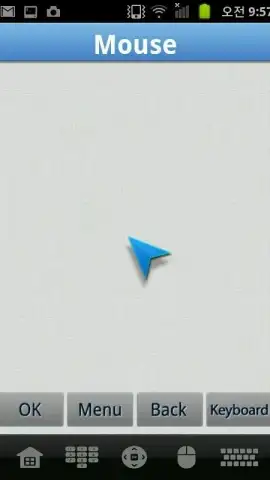
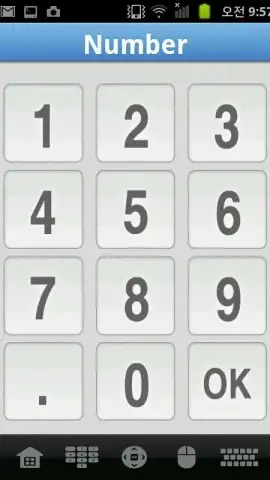
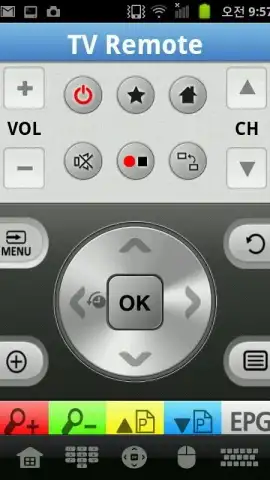
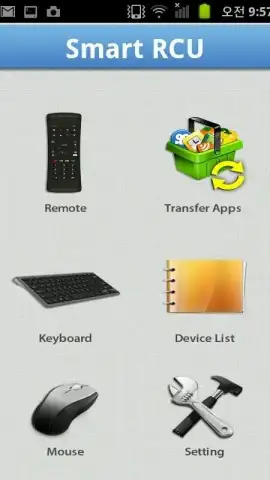
The application moves beyond simple button presses, offering a multi-faceted approach to device interaction. The remote key function provides reliable, instant command over essential functions like channel surfing and volume adjustment, ensuring you never miss a beat. Where iSmartRCU truly shines, however, is with its touchpad feature. This mode converts your device's screen into a sensitive trackpad, allowing for precise, cursor-like movement on your TV. It makes navigating menus, web pages, or selecting small on-screen items feel as natural as using a laptop.
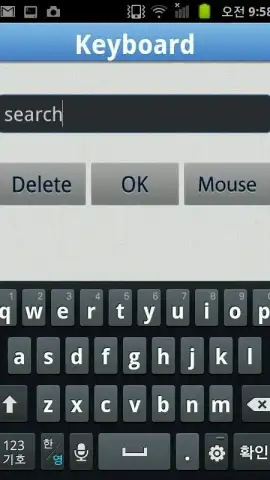
Furthermore, the integrated text input feature tackles one of the most tedious aspects of using a TV box: typing. Instead of painstakingly clicking through an on-screen keyboard with arrow keys, you can simply type out search queries, passwords, or web addresses directly on your phone's keyboard. While performance can depend on the specific app or environment on your SmartBox, this feature dramatically streamlines any task that requires text.
- Complete Remote Replacement: Offers full wireless control over your G4 Hybrid SmartBox (compatible with ITH40BR, ITH20BR models) for core TV functions.
- Precision Touchpad Control: Turns your mobile screen into a responsive trackpad for accurate, mouse-like navigation on your television display.
- Direct Text Input: Enables fast typing using your mobile device's keyboard for searches, logins, and browsing, enhancing overall efficiency.
- Ad-Free User Experience: The app operates without disruptive advertisements, focusing purely on delivering a smooth control interface.
- Intuitive and Unified Design: Built with a user-centric interface that provides a cohesive and convenient management experience for your connected device.
Stop juggling remotes and struggling with clumsy on-screen keyboards. Elevate how you interact with your entertainment system today. Download iSmartRCU immediately and transform your smartphone into the most intelligent remote you own!
Heads up: You'll need to connect both your G4 Hybrid SmartBox and your mobile device to the same WiFi network for all features to function. Some advanced functionalities within specific apps or SmartBox environments may have limitations.


