

JuiceSSH
JuiceSSH screenshots (8)


Description JuiceSSH
JuiceSSH: A Professional-Grade SSH Client Engineered for Mobile
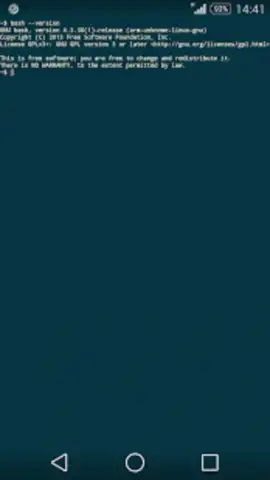
For system administrators, developers, and IT professionals, remote server management is a non-negotiable daily task. JuiceSSH transforms your Android device into a potent, reliable terminal, eliminating the need to be tethered to a desktop. This application delivers a comprehensive suite of connectivity protocols—SSH, Local Shell, and Telnet—providing direct, secure access to any configured remote host from anywhere. Its true strength, however, lies not just in access, but in the depth of its customization and workflow optimizations, which are unusually robust for a mobile platform.
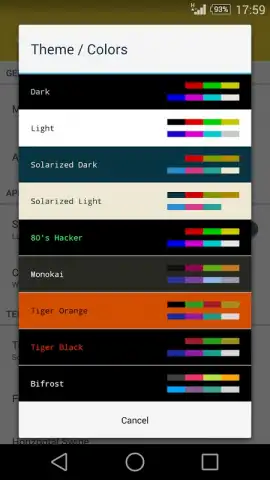
The interface is meticulously adapted for touch interaction, with thoughtful UX choices like easily tappable function keys and a responsive keyboard layout that prevent input errors during critical commands. Beyond the core functionality, the application offers an extensive personalization layer. Users can select from over a dozen curated color themes and palettes, which, while cosmetic, significantly reduce eye strain during prolonged sessions and allow for visual environment coding. The utility extends into powerful session management, including the ability to maintain multiple concurrent SSH connections in the background and seamlessly copy-paste text between active terminal windows.
JuiceSSH integrates advanced features that streamline professional workflows. It intelligently detects URLs within the terminal stream, allowing you to tap and open them directly in a browser. For auditing and record-keeping, session transcripts can be configured to save automatically to cloud storage services like Dropbox. The optional Turbo upgrade removes all advertising and unlocks enhanced capabilities, creating an uninterrupted, premium command-line experience.
- Multi-Protocol Terminal Support for SSH, Telnet, and Local Shell connections.
- Advanced Touch-Optimized Interface with customizable on-screen function keys.
- Deep Visual Customization with numerous themes and color palette options.
- Robust Session Management supporting background processes and multi-window.
- Workflow Integrations like URL detection, cloud transcript saves, and cross-session copy-paste.
Get your professional advantage and manage your infrastructure with unprecedented mobility. Download JuiceSSH now and transform your Android device into a command center.
Heads up: you'll need a stable wifi or cellular data connection for remote host access. Some advanced features and the ad-free experience require the optional Turbo upgrade.


