

Размер экрана
Размер экрана screenshots (1)
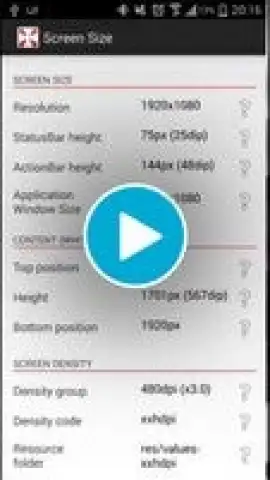
Description Размер экрана
Never Guess Your Screen Specs Again
Tired of digging through confusing settings menus or searching online forums just to find basic information about your Android device's display? For developers, designers, or simply curious tech users, having instant, accurate screen metrics is crucial. Screen Size delivers exactly that: a streamlined, offline tool that puts every critical display and device specification directly in your hands. It cuts through the clutter to provide the technical data you need, presented with clarity and precision.
This app is engineered for functionality first. It instantly calculates and displays your screen's exact pixel dimensions, density (DPI), and current font scale. Beyond the basics, it delivers a detailed breakdown of your device's interface metrics, including the precise height of the status bar, action bar, and on-screen navigation bar if your device uses them. This level of detail is invaluable for UI/UX testing, responsive design checks, or ensuring perfect asset alignment. With its completely ad-free experience powered by Turbo mode and a commitment to privacy through offline operation, Screen Size is the definitive utility for anyone who values clean, accessible technical information.
Core Features at a Glance
- Instantly view exact screen resolution, pixel density (DPI), and active font scaling.
- Access detailed UI element measurements for status, action, and navigation bars.
- Identify which resource folder (e.g., mdpi, hdpi, xxhdpi) your device utilizes for assets.
- Enjoy a minimalist, intuitive interface designed for zero-friction, immediate use.
- Operate fully offline with no ads, ensuring privacy, speed, and reliability.
Download Screen Size & Master Your Display Today
Stop approximating and start knowing with absolute certainty. Whether you're debugging a layout, choosing the perfect wallpaper size, or satisfying your technical curiosity, Screen Size is the essential tool you've been missing. Get instant, reliable access to your device's core specifications now.
Limited Offer: Exclusive, ad-free access is live for new users. Download this must-have utility today and unlock precise device insights in seconds!
Heads up: This app works entirely offline—no wifi needed. It's a standalone diagnostic tool.


