

Manga Box
Manga Box screenshots (7)




Description Manga Box
A Closer Look at the Manga Box Reading Experience
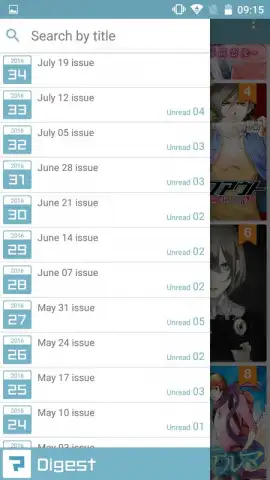
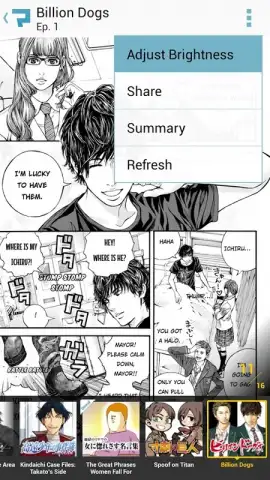
For readers seeking direct access to original manga from established creators, Manga Box presents a specific proposition. It functions primarily as a digital publishing platform, offering a curated selection of titles directly from popular authors. This approach differs significantly from large-scale aggregator apps that host vast libraries of pre-translated and downloadable series. The core reading mechanics are implemented with standard functionality: page navigation is handled through horizontal swipes, screen brightness can be adjusted via an on-screen control, and a tap typically accesses the chapter index or menu.
Platform Functionality and User Interface
The application’s design centers on delivering a straightforward reading session. The engine renders pages reliably, with the expected touch gestures for progression. An integrated brightness slider is accessible during reading to adjust display conditions. It is important to manage expectations regarding content volume; the service does not operate as an archive for thousands of downloadable, fan-translated works. Instead, it provides a more focused stream of official publications. The optional Turbo feature is noted to enhance the experience by removing advertisement panels, which are otherwise a part of the free reading model.
Key Operational Aspects
- Official Publishing Source: Provides a curated library of manga series directly from recognized authors and publishers.
- Standard Reading Tools: Incorporates essential controls like swipe navigation, a brightness adjuster, and tap-to-menu functionality.
- Ad-Free Turbo Mode: An optional feature that removes advertising content from the reading interface for uninterrupted sessions.
We suggest trying Manga Box if your primary interest is in reading officially published manga from a selective, rotating catalog directly on your Android device.
Download the Manga Box mobile app now.
Disclaimer: This application requires a persistent internet connection for content access and operation. It may contain in-app purchases for additional features like Turbo mode. Data usage charges may apply. Please check the product listing for age ratings and review the app's data privacy policy before use.
 GooglePlay



