

Memory Locker
Memory Locker screenshots (6)
Description Memory Locker
Imagine this: you're deep into a mobile game, your strategy is flawless, and then a background "optimizer" app silently terminates your game process to free up RAM. Your progress is lost. This isn't just an annoyance; it's a system-level interruption that many Android users accept as inevitable. Memory Locker confronts this issue directly. It is a utility application designed with a singular, technical purpose: to prevent any other process or system cleaner from forcibly stopping the applications and services you designate as essential. In an ecosystem where aggressive memory management can hinder user experience, this app provides a granular layer of control.
Core Functionality and Interface Analysis
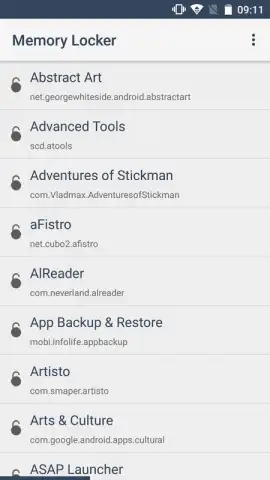
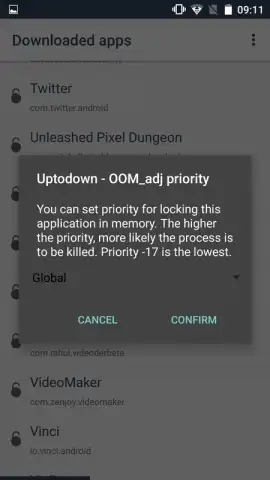
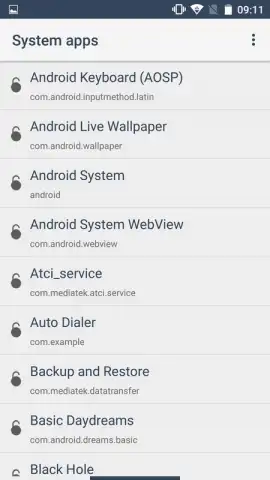
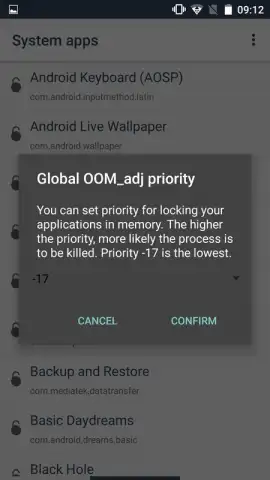
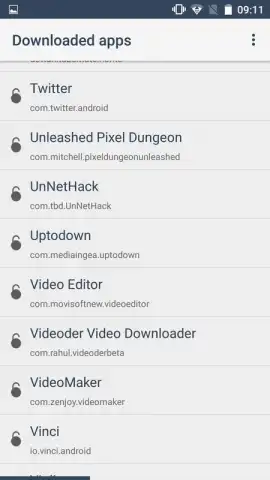
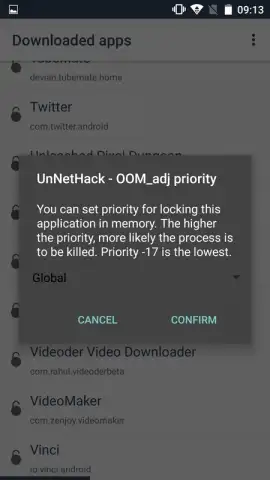
Memory Locker operates by allowing you to set a persistent lock on specific processes. The interface is divided into two primary, logically separated tabs. The first tab presents a comprehensive, alphabetized list of all processes associated with your user-installed applications. The second tab provides the same detailed view for core Android system processes, offering advanced users the ability to protect critical system services. Interaction is methodical: you select a target process and assign it a precise priority level within a defined numerical range. This priority system, which can be adjusted from 15 down to -17, directly influences how the Android system's internal scheduler views the locked process, making it significantly more resistant to being killed by memory-reclaiming activities.
Detailed Feature Breakdown
The application's value is built on a foundation of specific, actionable features that provide detailed system management.
- Targeted Process Immunity: Actively prevents optimizer and cleaner applications from terminating your chosen apps, from games to communication tools.
- Dual-List Process Management: Offers separate, organized views for user applications and system processes for precise, categorized control.
- Granular Priority Assignment: Utilizes a numerical priority scale from 15 to -17 to fine-tune system resource allocation for each locked process.
- Advertising-Free Operation: The core locking functionality is delivered without disruptive ad banners or pop-ups interrupting the management experience.
- Turbo Mode Advantages: Enhances the locking mechanism's effectiveness, providing a more robust defense against aggressive system cleanup routines.
This tool is particularly valuable for users who rely on specific background services—like music players, navigation, or download managers—or for gamers who wish to prevent their session from being closed. It effectively places a decision-making barrier between automated maintenance apps and your device's active processes.
Get immediate control over your device's memory management. Download Memory Locker now and stop letting other apps decide what stays running!
Heads up: This app requires background process permissions to function. The priority system interacts with Android's native scheduler; results may vary by device manufacturer and OS version.


