

Messenger Home
Messenger Home screenshots (3)


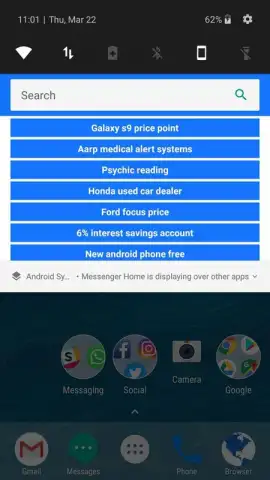
Description Messenger Home
Looking for a way to centralize your social life directly from your home screen?
Messenger Home integrates your essential messaging and social feeds into a single, accessible widget. This app provides a unified notification hub and quick-launch panel for your most-used social platforms, allowing you to view updates and respond to messages without opening multiple individual apps. It streamlines your digital interactions by placing customizable shortcuts and conversation previews right on your main screen.
Core Functionality & Tools
The app operates by aggregating notifications and access points from your installed social applications. You can configure a compact or expanded widget that displays message snippets, friend activity alerts, and direct shortcuts to your chats. A core tool is the unified inbox view, which lets you scroll through alerts from various services in one chronological stream. The system includes customization modes for widget transparency, icon packs, and tap actions, letting you define whether a tap opens a specific app or a quick-reply window.
Key Operational Advantages
The primary advantage is the reduction of time spent switching between applications. By providing a consolidated overview and one-tap responses, the interface minimizes friction in daily communication. The widget design focuses on clarity and speed, displaying only the most relevant information like sender names and message previews. Performance is optimized for minimal battery impact, running primarily as a passive overlay that activates with new notifications rather than constantly polling in the background.
- Unified social notification feed
- Customizable home screen widget
- Quick-reply and launch shortcuts
Consider downloading Messenger Home to consolidate your social interactions and streamline your home screen.
Heads up: you'll need wifi or mobile data for notification syncing. Some advanced widget themes or features may be extra.


