

Metro Launcher 10
Metro Launcher 10 screenshots (7)
Description Metro Launcher 10
Looking for a method to implement the Windows 10 desktop aesthetic directly onto your Android device's home screen?
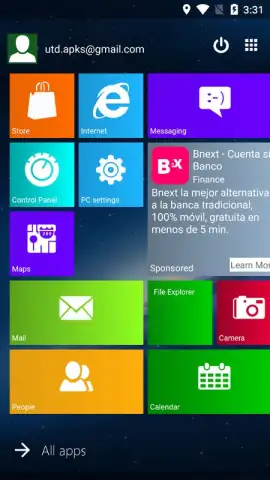
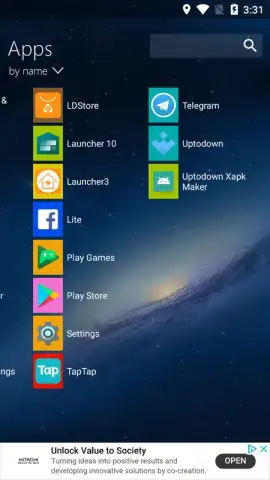
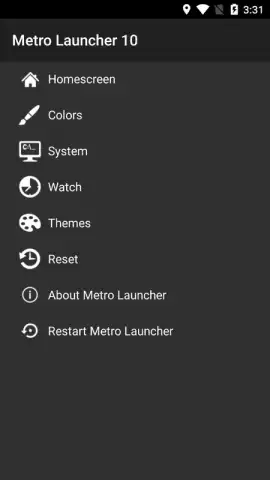
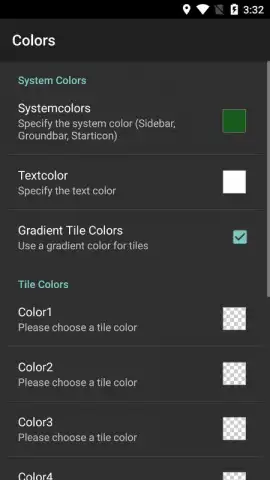
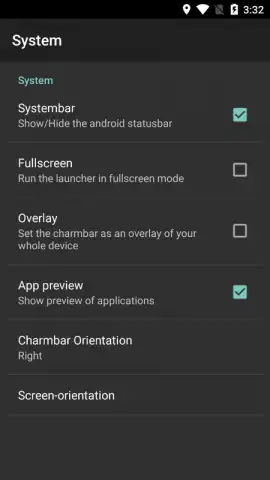
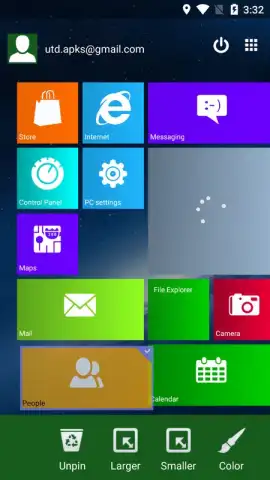
Metro Launcher 10 provides a systematic framework for transforming your Android interface into a functional replica of the Windows 10 environment. The application operates by allowing granular control over visual and structural elements through a dedicated settings panel. Users can adjust critical parameters such as font color schemes, the number of columns for tile arrangement, and the precise positioning and hue of individual live tiles. The initial setup deploys a default array of application icons and widgets designed to immediately reflect the Windows 10 layout philosophy, though this configuration is entirely malleable. Personalization extends to user profile elements, with a default name and avatar positioned in the upper-right quadrant, a placement that is also user-configurable. A significant operational note is the application's trial mechanism within its free version; all customization features remain fully accessible but are subject to a 15-minute session timer, after which the launcher reverts to its default state, requiring a restart or upgrade to retain modifications.
The launcher distinguishes itself through a focus on structural authenticity and configurable detail rather than superfluous animation. It functions as a skin and organizational tool, prioritizing the iconic tile-based navigation and clean typography of its source inspiration. The absence of banner or interstitial video advertisements in the core interface contributes to an uninterrupted visual experience, a condition maintained by the developer, Mobile Software Solutions Knol. The depth of available settings modes facilitates a genuine alteration of the user's interaction model, moving beyond simple icon theming to affect the fundamental hierarchy and information density of the home screen.
Core Functionality and Customization
- Implements the signature Windows 10 Start Menu and live tile system on Android.
- Offers deep customization of tile colors, sizes, columns, and font properties.
- Features a default optimized layout that can be fully edited and rearranged.
- Includes user profile integration with adjustable on-screen position and avatar.
- Provides a full-feature trial with a reversion timer in the free version.
Download Metro Launcher 10 now: Exclusive early access to upcoming premium features is available for the first 1,000 users who upgrade today.
Disclaimer: This application requires a stable internet connection for initial setup and potential updates. The free version includes a functional time limitation; full, persistent customization requires an in-app purchase. The app may request permissions to access device storage for wallpaper and icon customization. Data usage depends on widget content and update frequency. This product is not affiliated with or endorsed by Microsoft Corporation. Use is subject to the developer's terms. Age recommendations may apply due to configuration complexity.
 GooglePlay


