
Microsoft Office Mobile
Microsoft Office Mobile screenshots (5)



Description Microsoft Office Mobile
Unlock Your Full Office Suite on the Go
Transform your Android device into a powerful productivity hub with Microsoft Office Mobile. This essential app grants you seamless, professional-grade access to your Word, Excel, and PowerPoint files from anywhere. Experience true fidelity: your documents, complete with intricate charts, dynamic animations, embedded forms, and SmartArt graphics, render precisely as they would on your desktop PC. It’s the definitive mobile extension for anyone invested in the Microsoft 365 ecosystem, designed to keep your workflow uninterrupted whether you're commuting, between meetings, or working remotely.
This application serves as the mobile command center for your Microsoft 365 subscription. To activate its full potential, you need an active plan such as Office 365 Home Premium, Small Business Premium, Midsize Business, Enterprise E3/E4, Educational A3/A4, ProPlus, or University. Once linked, it delivers a streamlined, ad-free experience that prioritizes your work. The integrated "Turbo" performance enhancements ensure swift document handling and smooth editing, making complex tasks on a smaller screen not just possible, but efficient.
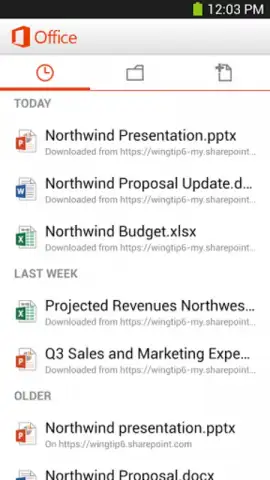
The core advantage is continuous cloud synchronization. With a persistent internet connection, every document stored on OneDrive or SharePoint is instantly available. Edit a spreadsheet on your phone during lunch, and your changes are saved directly to the cloud, ready for you to pick up seamlessly on your laptop later. This eliminates version confusion and creates a truly unified workspace across all your devices, ensuring you are always working on the latest draft.
Core Functionalities at a Glance
- Edit & Format Documents with the familiar Word ribbon interface, enabling real-time text and paragraph formatting on your mobile device.
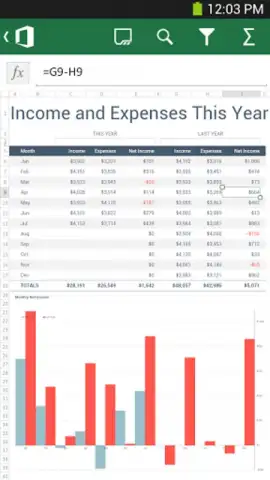
- Manage Data & Formulas in Excel spreadsheets, allowing you to update cells, create charts, and use essential functions from anywhere.
- Review & Present Decks using PowerPoint to run through slideshows, edit speaker notes, and make last-minute tweaks before a presentation.
We suggest integrating this app into your daily routine if you are a Microsoft 365 subscriber. It effectively bridges the gap between your office and mobile life, turning idle moments into productive sessions. Consider downloading it to experience a new level of flexible, professional document management.
Download the Microsoft Office Mobile app now to carry your complete office in your pocket.
Heads up: you'll need an active Microsoft 365 subscription and a persistent wifi or data connection for full cloud access and syncing. Some advanced desktop features are streamlined for mobile.


