

MindFlux
MindFlux screenshots (10)

Description MindFlux
A Closer Look at MindFlux: A Unified System for Task and Note Management
Many productivity applications force a choice between a simple note-taking tool and a complex project management suite, often leading to fragmented workflows. MindFlux, developed by bmatthias, presents an alternative by integrating core productivity methodologies into a single Android application. It functions as a centralized hub, applying the directness of the "Do It" principle and the visual clarity of the Kanban technique. This review examines its mechanics as a business tool designed to consolidate note capture, task organization, and calendar oversight within one interface, aiming to reduce the friction typically associated with context-switching between disparate apps.
Core Functionality and Organizational Mechanics
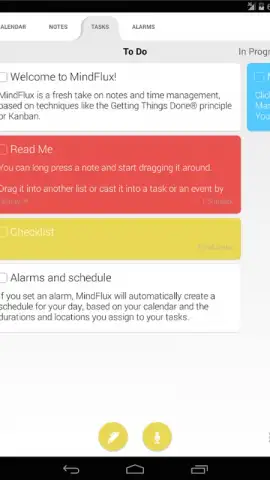
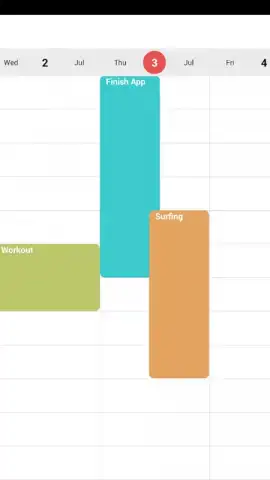
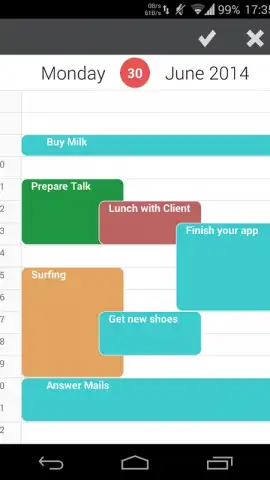
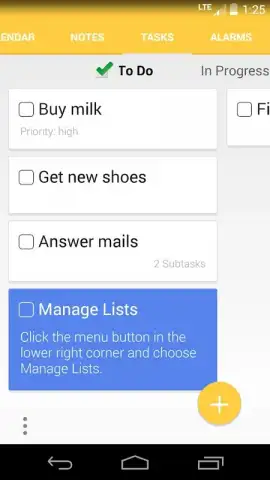
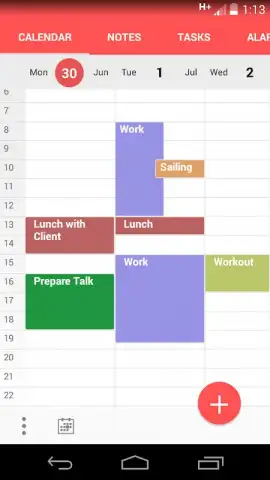
The application's primary operational layer is built around customizable lists and a drag-and-drop manipulation system. Users can establish lists aligned with personal or professional workflows, such as "To Do," "In Progress," and "Done," which serve as columns in a Kanban-style board. Each note or task created becomes a card that can be visually moved between these states, providing a clear, at-a-glance overview of progress. This is coupled with a calendar view, allowing time-based events and deadlines to be managed alongside more fluid task lists. The action of updating, categorizing, and repositioning these items forms the core interactive loop of the application.
Design Philosophy and User Experience
MindFlux employs a modern, minimalist design intended to reduce cognitive load. The interface avoids unnecessary visual clutter, directing focus toward the active lists and notes. A significant operational detail is the absence of advertising within the core experience, with an optional "Turbo" enhancement available. The integration of its tools is designed to be intuitive, positing that the act of organizing thoughts—by quickly recording notes and then systematically classifying them—should not be hindered by a steep learning curve or disruptive elements. The design choices suggest a target user base of individuals seeking to optimize their daily task management without adopting overly complex software solutions.
Analytical Feature Breakdown
The application's value is derived from the synthesis of several specific features that facilitate a streamlined workflow.
- Visual Kanban Task Boards: Create and manage customizable columns for tracking the progression of tasks from inception to completion.
- Integrated Drag-and-Drop Interface: Instantly reorganize notes, tasks, and calendar entries through intuitive touch-based manipulation.
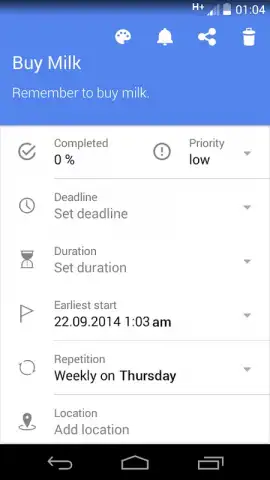
- Unified Note Capture and Categorization: Rapidly jot down ideas and seamlessly assign them to specific projects or lists for structured retrieval.
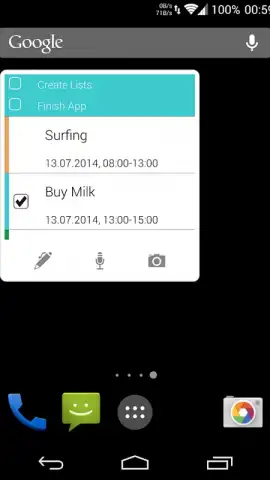
- Synchronized Calendar and Task Overview: Maintain a cohesive schedule by viewing time-bound events and actionable items in a single, integrated space.
- Ad-Free Core Experience with Optional Turbo: Operate without advertisement interruptions, with potential advanced features accessible via an optional upgrade.
Final Assessment and Implementation
Objectively, MindFlux functions as a competent consolidator of fundamental productivity actions. It does not introduce novel methodologies but effectively implements established ones like Kanban within a clean, dedicated environment. Its utility is most apparent for users whose needs sit between basic note-taking and full-scale project management, offering just enough structure to organize chaos without imposing rigidity. The application serves as a practical digital workspace for managing daily professional and personal activities with a consistent, minimal-effort workflow.
Get your workflow advantage and start organizing with precision today.
Internet required. IAP available.


