

MIUI Screen recorder
MIUI Screen recorder screenshots (6)
Description MIUI Screen recorder
A Practical Tool for Capturing On-Screen Activity
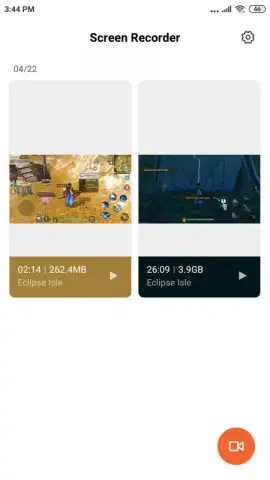
For users of Xiaomi smartphones and tablets seeking a straightforward method to document their screen activity, the MIUI Screen Recorder provides a system-integrated solution. This utility addresses the specific need to capture gameplay, application tutorials, or software demonstrations directly from the device's display. Its operation is confined to the Xiaomi ecosystem, leveraging the manufacturer's software layer to offer functionalities that might otherwise require more complex third-party applications or device modifications.
Core Functionality and Operational Parameters
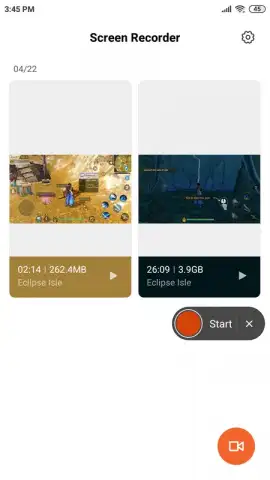
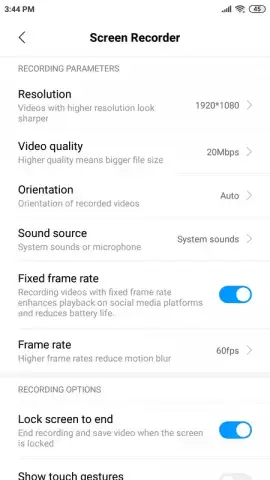
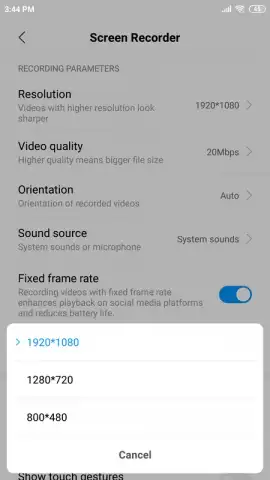
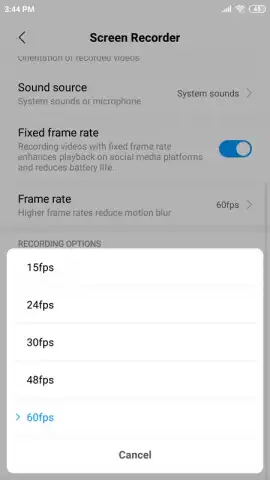
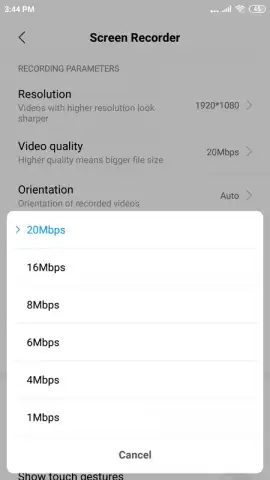
The application initiates recording through a persistent floating control button, which remains accessible over other applications. This button serves as the primary interface for starting and stopping captures, and it is designed to be excluded from the final recorded footage. Users can configure several output parameters before recording, including video resolution, quality settings, and frame rate, which allows for balancing file size against visual fidelity. A distinct technical feature is its ability to capture internal audio, such as in-game sounds or media playback, without requiring root access to the device—a capability not universally available in standard screen recording tools.
Detailed Feature Breakdown
- Internal Audio Capture: Records system and app audio directly, eliminating the need for external microphone capture or device rooting.
- Configurable Video Output: Offers settings to adjust resolution, quality, and frame rate for optimized file size and clarity.
- Non-Intrusive Recording Controls: Features a floating toolbar for managing recordings that does not appear in the final saved video file.
We suggest trying MIUI Screen Recorder if you require a no-frills, system-level tool for capturing screen activity on your Xiaomi device, particularly for purposes like preserving gameplay sessions or creating software guides.
Download the mobile app now.
A stable internet connection may be required for initial setup. The application is free to use and does not contain advertising.


