

Mooltik: Storyboard & Animate
Mooltik: Storyboard & Animate screenshots (5)

Description Mooltik: Storyboard & Animate
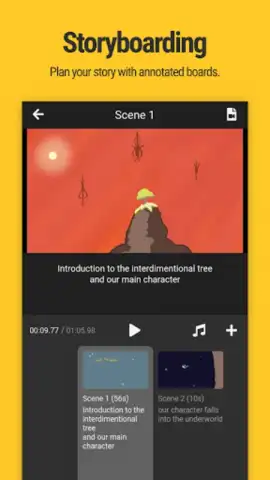
Looking for a mobile tool that bridges the gap between a simple sketchpad and a full-fledged animation studio? Mooltik: Storyboard & Animate presents itself as a hybrid solution, merging frame-by-frame drawing tools with a timeline-based editor to facilitate the creation of animated storyboards, animatics, and short cartoon clips.
Core Functionality and Workflow
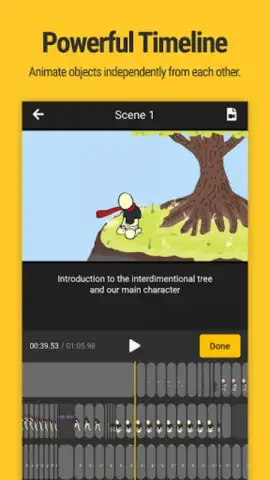
The application operates on a layer-based system, allowing creators to separate background elements from character actions, each with its own independent timeline. This is not merely a drawing app with playback; it is a dedicated pre-visualization environment. The primary workflow involves sketching scenes directly onto the canvas, then using the precision timeline to dictate the duration and sequence of each drawn frame. This method is particularly effective for planning music videos, film sequences, or conceptualizing short narrative loops, providing a clear visual script before committing to more resource-intensive production.
Detailed Feature Analysis
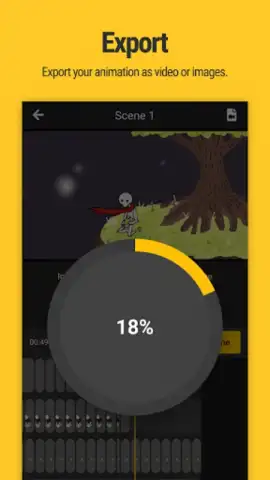
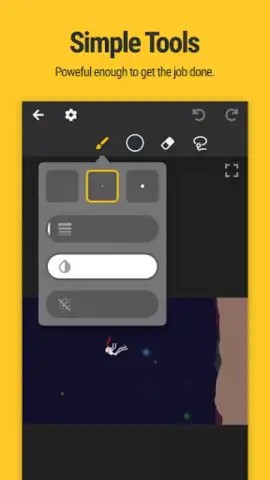
Beyond the basic draw-and-time function, Mooltik incorporates features that address specific creator needs. The drawing tools, while streamlined, offer the necessary control for illustrating distinct scenes, suitable for both quick thumbnails and more detailed frames. A significant feature is the ability to add text annotations or dialogue directly onto scenes, providing crucial narrative context within the project itself. For final output, projects render to standard MP4 video files, ensuring compatibility for sharing on social platforms or importing into other video editing suites for further refinement.
The development of the app shows a focus on iterative improvement, with updates aimed at refining the user interface and expanding creative flexibility. For creators seeking an ad-free experience with enhanced capabilities, an optional premium tier unlocks advanced functionality.
- Layered Animation Control: Manage foreground and background elements on separate layers with individual timelines for complex, multi-element scene animation.
- Integrated Audio Import: Sync your animations to a single audio track by importing music or sound files directly, creating a cohesive audiovisual piece.
- Precision Timeline Editing: Exercise exact control over the timing of every scene and frame, allowing for meticulous pacing and smooth narrative flow.
We suggest trying Mooltik: Storyboard & Animate if your creative process requires visualizing motion and narrative sequence before final production. Consider downloading it to explore a focused tool for bringing story ideas to life through animation.
Heads up: you'll need wifi for most features. Some cool stuff is extra.
 GooglePlay


