
My Files
My Files screenshots (5)

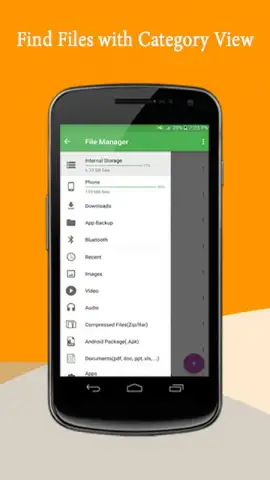
Description My Files
What if your phone's storage was no longer a chaotic maze of forgotten downloads and duplicate photos?
Managing files on Android can feel like a constant, low-level chore. The default file explorers often lack the precision and clarity needed for true organization, leaving you to sift through cluttered folders. My Files steps into this space as a dedicated, streamlined file manager designed to cut through the digital clutter. It provides a clean, intuitive interface that transforms file management from a frustrating task into a simple, controlled process, giving you immediate visibility and command over every document, image, audio file, and application taking up space on your device.
Core Functionality and Analytical Overview
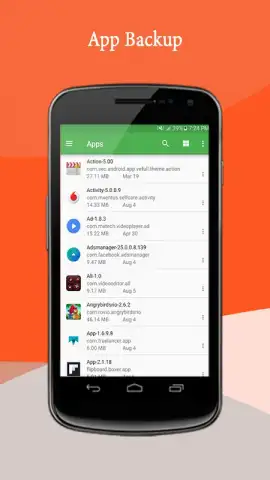
The application operates on a principle of hierarchical clarity and direct access. Upon launch, it presents a categorized view of your device's internal storage and any connected SD card, separating content into logical groups such as Images, Videos, Audio, Documents, Downloads, and Apps. This initial sorting is its primary mechanic, instantly directing you to the relevant file type without navigating deep directory trees. The core toolset includes essential file operations: copying, moving, renaming, compressing into ZIP files, and extracting archives. A dedicated storage analyzer provides a visual breakdown of space usage, identifying which file types or folders are consuming the most capacity—a critical feature for proactive storage management. The search function is deeply integrated, allowing for rapid file retrieval by name or extension across the entire storage system.
Key Advantages in User Experience
The utility of My Files is defined not by flashy features but by its focused execution and user-centric design. Its advantages are most apparent in daily use.
- Streamlined Categorization for Instant Access: Files are automatically grouped by type upon opening the app, eliminating the need to remember specific folder paths and saving significant time during retrieval.
- Integrated Storage Analyzer with Visual Charts: Provides a clear, color-coded pie chart of your storage allocation, making it simple to identify and purge large, unnecessary files or duplicate items.
- Robust File Operations and Archive Support: Performs all fundamental file actions reliably and includes built-in tools for creating and extracting ZIP archives, removing the need for a separate utility app.
Gain immediate control over your device's digital footprint and eliminate the daily hassle of searching for files.
Download the app now and organize your storage with precision.
Disclaimer: This application requires an internet connection for certain functions like cloud storage integration (if featured) and may contain in-app purchases for premium features. It is intended for a general audience but users should be aware of their device's age restrictions. The app will request necessary permissions to access, manage, and modify files on your device's storage for its core functionality.


