

MyICON
MyICON screenshots (4)
Description MyICON
A Blank Canvas for Your Digital Identity
In an era where our smartphones are deeply personal, the default icons that populate our screens often feel impersonal and mass-produced. They represent a missed opportunity for self-expression, turning a device we interact with hundreds of times a day into a generic tool rather than an extension of our style. MyICON addresses this disconnect directly, transforming the fundamental visual layer of your Android interface from a static grid into a dynamic, curated gallery of your own design. It moves beyond simple theming to offer granular control, allowing you to redefine the aesthetic of every single app shortcut without requiring advanced technical knowledge or rooting your device.
Core Mechanics and Customization Tools
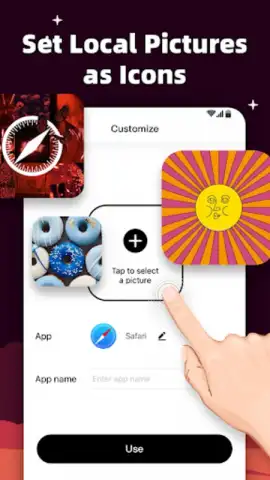
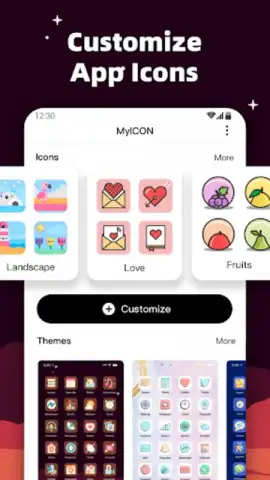
MyICON operates as a sophisticated icon pack manager and custom designer. Upon launching, the app presents a clean, intuitive dashboard that grants access to two primary workflows: applying pre-designed, cohesive icon packs from a growing curated library, and crafting entirely unique icons from scratch. The built-in editor is notably comprehensive, providing layers, shape tools, a vast color palette with hex code input, gradient generators, and a selection of tasteful, modern fonts for adding text labels. For each app on your device, you can either select a new icon from an applied pack or enter the editor to modify an existing design or create a new one pixel-by-pixel. The app handles the backend application process seamlessly, using standard Android shortcuts to replace icons while keeping the original applications fully functional.
Key Advantages and User Experience
The principal strength of MyICON lies in its balanced approach—powerful enough for detailed customization yet accessible for quick, satisfying changes. The interface prioritizes clarity, with logical menus and a real-time preview pane that shows how your new icon set will look on a simulated home screen. Performance is optimized for devices running Android 5.0 and above, ensuring the icon replacement process is swift and doesn't introduce lag or drain the battery. Visually, the app itself adheres to Material Design principles, creating a harmonious and trustworthy environment for your creative work. The ability to save and export your custom icon sets for backup or sharing adds a layer of utility, making your personal designs portable.
- Advanced In-App Icon Editor with layer support, gradients, and custom fonts for total creative freedom.
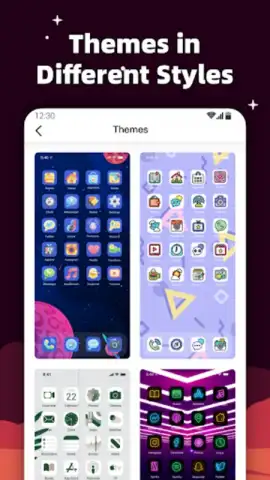
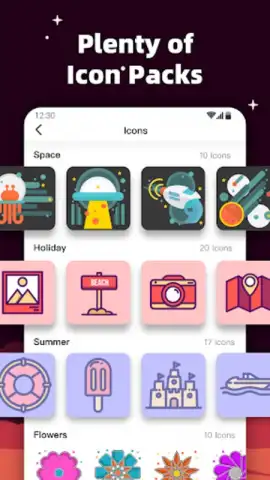
- Extensive Library of Pre-Designed Icon Packs curated for various aesthetics from minimalist to vibrant.
- One-Tap Application to apply new icons system-wide or to individually selected apps.
- Real-Time Home Screen Preview to visualize your complete theme before committing changes.
- Save and Export Your Custom Icon Sets for backup or to share your designs with others.
Don't settle for a phone that looks like everyone else's. Transform your device into a true reflection of your personal style today. Download MyICON now and start crafting the perfect visual interface immediately!
An internet connection may be required to access certain online icon packs or features. The app may offer optional premium assets or functionality via in-app purchases.
 GooglePlay



