
Office Documents Viewer (Free)
Office Documents Viewer (Free) screenshots (6)
Description Office Documents Viewer (Free)
A Practical Look at Office Documents Viewer (Free)
Imagine needing to review a project brief sent as a .DOCX attachment, only to find your current mobile app stumbles over the formatting. Or perhaps you’ve downloaded a financial report in .ODS format from a cloud drive, and it simply won’t load. This scenario of digital dead-ends is precisely what Office Documents Viewer (Free) by developer Joerg Jahnke seeks to resolve. It positions itself not as a full-fledged editor, but as a dedicated, no-frustration portal for accessing a wide array of document formats directly on your Android device. The core proposition is straightforward: provide a reliable, lightweight window into your files, whether they reside locally, in the cloud, or arrive via email.
Core Functionality and User Experience
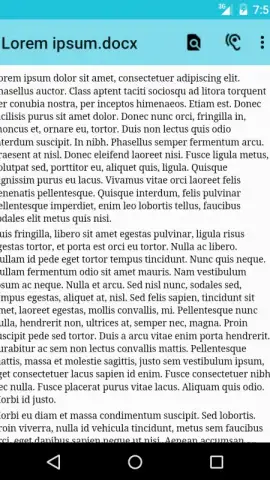
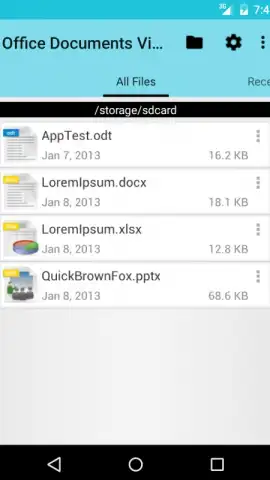
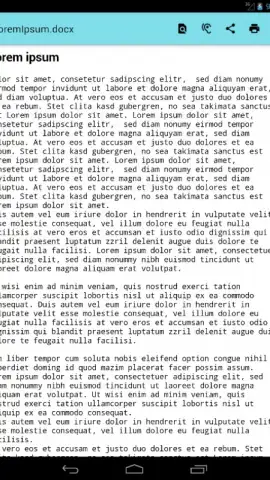
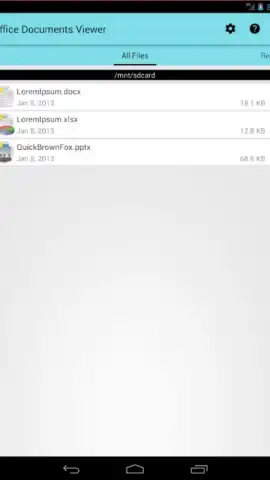
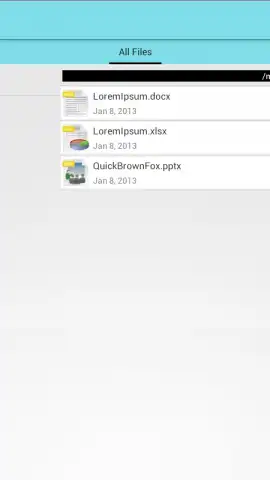
The application operates on a principle of broad compatibility and simplified access. Its primary engine is built to decode and display documents from legacy and modern office suites alike, including Microsoft Office (from the 97 version up to 2007 formats), OpenOffice, and LibreOffice. Furthermore, it extends support to generic text-based formats like RTF, TXT, CSV, TSV, and even HTML web pages. A notable inclusion is PDF support, rounding out its role as a general document viewer. File management is decentralized; the app doesn’t lock you into a proprietary ecosystem. Instead, it acts as a hub, pulling documents from your device's internal storage, SD cards, linked Dropbox accounts, email attachments, or direct downloads. The interface reflects this utilitarian goal, favoring clear menus and a clean layout that minimizes the learning curve for immediate productivity.
However, a measured analysis must acknowledge certain technical boundaries inherent to its free, viewer-focused design. Performance can vary with file complexity. Extensive spreadsheets with thousands of cells may experience noticeable load times, and in rare cases, graphical rendering might not capture every cell border or data point. The handling of embedded images is contingent on the underlying Android system's capabilities, meaning some graphic elements may not appear if the format is unsupported at the OS level. Crucially, the application does not bypass digital rights management or encryption; password-protected documents from any supported format cannot be opened. These are not flaws per se, but clear delineations of the app's scope.
Key Features at a Glance
- Opens a wide spectrum of formats including DOC, XLS, PPT, ODT, ODS, PDF, and RTF.
- Accesses files stored across local device memory, SD cards, and Dropbox cloud storage.
- Integrates directly with email clients and browsers to open attachments and downloads.
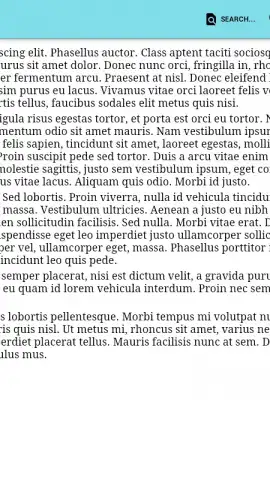
- Includes zoom functionality for detailed inspection and a text-to-speech engine for audio playback.
- Provides quick actions to share, print, or create copies of opened documents for further use.
For professionals, students, or anyone who regularly receives documents on the go, this app eliminates the common hurdle of format incompatibility. Its strength lies in its specificity—it does one job and aims to do it with minimal friction. While it is not suited for editing complex, image-heavy layouts or secured files, its utility as a universal document reader is evident. You might enjoy its straightforward approach to managing disparate file types from a single, ad-free interface.
Consider downloading Office Documents Viewer (Free) from the Google Play Store to handle your mobile document viewing needs.
Disclaimer: This application requires an internet connection for initial setup and for accessing cloud storage services like Dropbox. It is a free application and may contain in-app purchases for additional features. The app may request permissions to access device storage and network connectivity to function correctly. User data handling practices are subject to the developer's privacy policy. Please be aware that it cannot open password-protected or encrypted documents.
 GooglePlay


