

Olauncher
Olauncher screenshots (5)

Description Olauncher
What if your phone's home screen could be a tool for focus, not a source of distraction? Olauncher reimagines the Android launcher as a minimalist command center, stripping away the visual noise of icons, widgets, and notifications to present only the essential information and apps you need. It transforms your device's most viewed interface from a cluttered dashboard into a serene, text-based terminal that promotes intentional use.
Core Functionality & User Experience
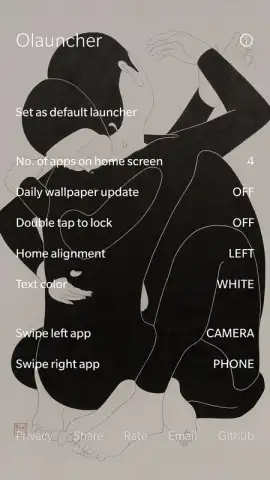
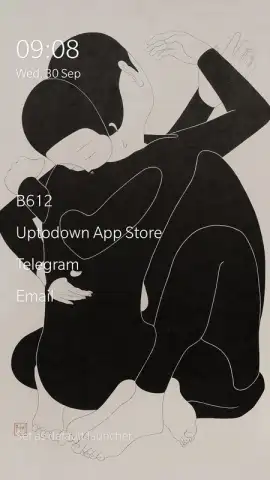
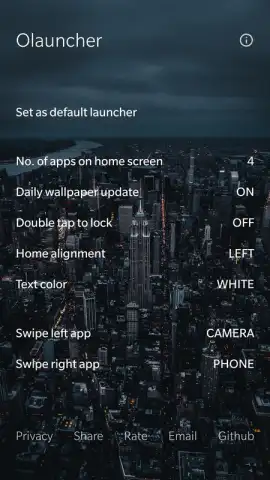
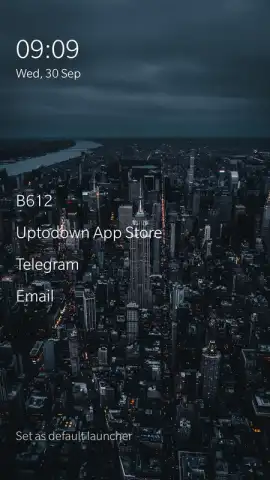
Olauncher operates on a principle of radical simplicity. Upon activation, it replaces your standard home screen with a clean, dark-themed interface displaying the time, date, and battery status in a clear, monospaced font. App access is handled through a search-first paradigm: you type the first few letters of an application's name into a persistent search bar, and Olauncher instantly filters and launches it. This eliminates endless scrolling through pages of icons. You can pin a limited number of essential apps (typically up to eight) as quick-access favorites at the bottom of the screen, but the design intentionally discourages a crowded layout. The settings allow for deep customization of the font, accent colors, and the format of the time and date display, enabling a personalized yet consistently minimalist aesthetic.
Key Advantages Over Standard Launchers
The primary strength of Olauncher is its uncompromising approach to reducing digital friction and cognitive load. By removing icon grids and widget ecosystems, it drastically cuts down the time spent mindlessly tapping on apps out of habit. The search-based launch mechanism is surprisingly fast and efficient, becoming intuitive after a short adaptation period. Performance is another significant benefit; with almost no graphical overhead or background processes, Olauncher is exceptionally lightweight and responsive, even on older Android devices. It respects user privacy by operating locally without requiring intrusive permissions or phoning home with your data.
- Minimalist Text-Based Interface: Presents only time, date, and a search bar on a dark background for maximum focus.
- Search-to-Launch App Access: Instantly open any app by typing its name, eliminating the need for icon hunting.
- Highly Customizable Display: Adjust font styles, accent colors, and time/date formats to match your preference.
- Extreme Lightweight Performance: Consumes minimal system resources for swift, lag-free operation on any device.
- Privacy-Focused Design: Functions entirely offline with no unnecessary permissions or data collection.
If you feel overwhelmed by the constant visual stimulation of a typical smartphone interface and seek a more deliberate, calm digital environment, Olauncher provides a compelling solution. We suggest trying this launcher to experience a fundamentally different, more focused relationship with your device.
Consider downloading Olauncher now to begin decluttering your digital space.
Requires Android 7.0 or later. This app changes your device's home screen and launcher settings. It functions as a system tool and does not require an internet connection for core features. The developer does not collect personal data. Please note that altering system launchers may affect the behavior of other apps and widgets.
 GooglePlay





