

OLYMPUS Image Share
OLYMPUS Image Share screenshots (3)
Description OLYMPUS Image Share
Transfer and manage your Olympus photos wirelessly with your smartphone.
OLYMPUS Image Share enables direct wireless image transfer from compatible Olympus cameras to your Android device. The mobile app provides a streamlined workflow for photographers to offload, view, and share high-quality photos and videos without the need for cables or a computer. It turns your smartphone into a powerful remote control and a portable gallery for your camera's content.
Core Functionality and Tools
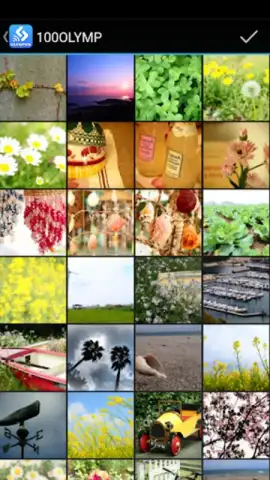
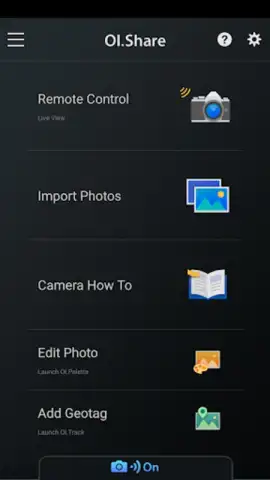
The mobile app establishes a dedicated Wi-Fi connection between your Olympus camera and smartphone. Once paired, you can browse the images stored on your camera's memory card in a thumbnail grid. You can select individual photos or batches for transfer, choosing to save them to your device at a specified image size. The mobile app also allows for the geotagging of photos using your smartphone's GPS data, embedding location information directly into the image metadata after transfer.
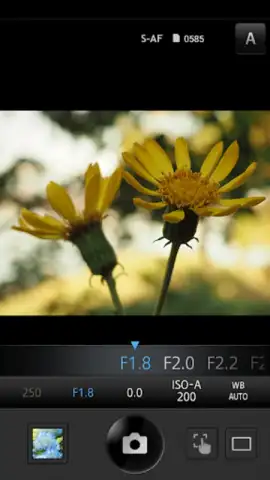
For remote shooting, the mobile app provides a live view feed from your camera's lens directly to your smartphone screen. This allows you to adjust key settings like shutter speed, aperture, ISO, and white balance remotely. You can use your device's touch screen to select a focus point and trigger the camera's shutter, which is ideal for group photos, self-portraits, or shooting from difficult angles.
Key Advantages for Photographers
- Seamless Wireless Workflow: Eliminate physical tethering. Transfer photos immediately after capture for instant editing or sharing on social platforms.
- Enhanced Camera Control: Operate your camera remotely with a comprehensive set of adjustable parameters via an intuitive mobile interface.
- Automatic Geotagging: Simplify the process of adding location data to your photographic work, organizing your library by place.
Get exclusive early access to streamlined photography management. Download the mobile app now and connect your creativity.
Internet required. IAP available.


