

OnePlus Gallery
OnePlus Gallery screenshots (7)

Description OnePlus Gallery
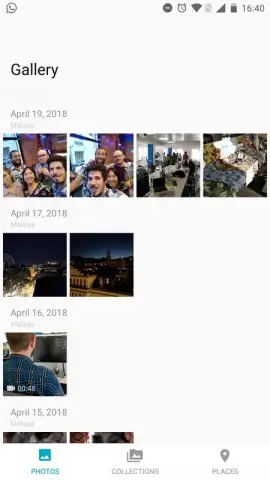
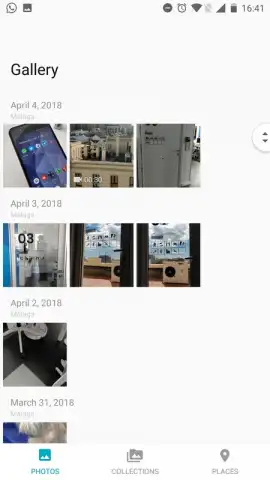
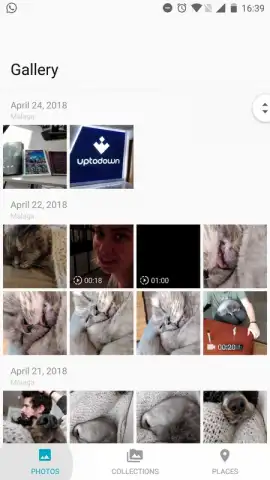
Imagine needing to locate a specific photo from a recent trip, only to scroll endlessly through a disorganized camera roll. The OnePlus Gallery app addresses this by providing a streamlined, native viewing experience specifically optimized for OnePlus Android devices. It functions as the default photo management system, automatically indexing and displaying all images stored on the device in a clean, chronological timeline.
Core Functionality and User Interface
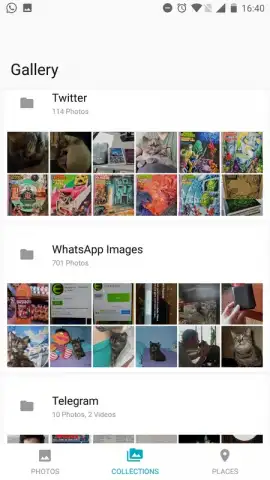
The application presents a straightforward navigation panel. The primary 'Gallery' view offers a master timeline of all photos and videos. A separate, dedicated 'Albums' section intelligently categorizes media into folders, which includes not just camera shots but also neatly organized directories for images downloaded or created by third-party applications such as WhatsApp, Telegram, Instagram, and Twitter. This separation allows for efficient browsing, whether you wish to see everything sequentially or find content from a specific messaging platform quickly. The interface is notably clean, employing OnePlus's characteristic design language for an intuitive and visually coherent experience.
Image Management and Performance
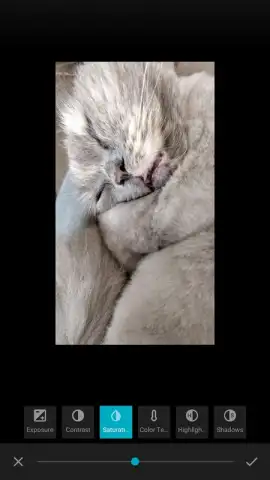
A key operational feature is the integrated image viewer and basic editor. Selecting any photo opens it in a dedicated viewer, from which you can access a suite of editing tools. These tools allow for fundamental adjustments like cropping, rotation, and applying filters directly within the app, eliminating the immediate need for a separate photo editor for simple tasks. The application is engineered to leverage OnePlus's system-level optimizations, often referred to as Turbo modes, which contribute to swift image loading, smooth album scrolling, and overall responsive performance without the intrusion of banner or pop-up advertisements.
- Automatic Media Organization: Aggregates all device photos into a chronological timeline while sorting content from social and messaging apps into dedicated, clearly labeled folders.
- Integrated Basic Photo Editor: Provides essential editing tools such as crop, rotate, and filter application within the native image viewer for quick adjustments.
- Optimized System Performance: Utilizes device-specific enhancements for fast library scanning and fluid browsing, operating without advertising placements.
Consider downloading the OnePlus Gallery to manage your media through a clean, efficient, and ad-free interface designed for seamless integration with your device. Internet required. IAP available.


