

OnePlus Notes
OnePlus Notes screenshots (3)
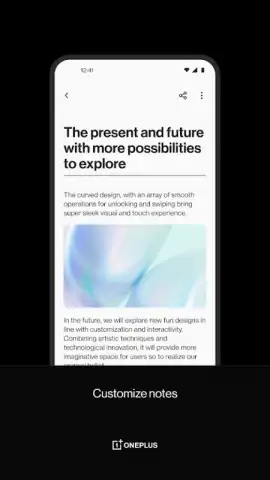


Description OnePlus Notes
A Note-Taking App Engineered for the Modern Workflow
In an ecosystem saturated with basic text editors, OnePlus Notes presents itself as a purpose-built productivity tool designed to consolidate and streamline digital note-taking. It moves beyond simple memos, offering a structured environment for capturing ideas, managing tasks, and organizing information across personal and professional spheres. The application positions itself as a centralized hub for unstructured thought, aiming to reduce friction between concept and execution.
Core Functionality and Feature Set
The application operates on a principle of clean, focused functionality. It provides a canvas for creating text-based notes, which can be organized into customizable folders or categories for systematic management. A core mechanic is the ability to format notes with basic styling options, such as bold or italic text, and to create checklists for task management. The interface is built around a hierarchical system of notebooks and individual notes, allowing for both broad categorization and granular detail. For users invested in the OnePlus ecosystem, the app may offer synchronization capabilities, ensuring notes are accessible across registered devices. The design prioritizes quick capture, with potential for widget support or quick-launch shortcuts from the device's home screen or shelf feature.
Key Operational Advantages
The primary strength of OnePlus Notes lies in its system-level integration and performance optimization. It is developed to leverage the hardware and software synergies of its native platform, resulting in exceptionally fast launch times and fluid animations. The user interface adheres to a minimalist design philosophy, reducing visual clutter and focusing attention on the content. This approach enhances usability, making the act of writing and reviewing notes a seamless experience. Furthermore, its development by the device manufacturer suggests a focus on stability and efficient resource management, minimizing battery drain and background activity compared to third-party alternatives.
- Minimalist and Fast Interface: Engineered for instant launching and zero-lag input for rapid note capture.
- Structured Organization System: Utilizes customizable notebooks, folders, and tags for logical information management.
- Quick-Action Task Lists: Integrated checklist creation to seamlessly transition notes into actionable to-do items.
- Platform-Optimized Performance: Built for efficiency with minimal battery impact and smooth system integration.
- Cross-Device Synchronization: Securely syncs your notes across your OnePlus devices when signed into your account.
We suggest trying OnePlus Notes if your priority is a no-fuss, highly responsive note-taking application that feels like a native extension of your device's core functionality.
Download mobile app now
Disclaimer: This application requires an internet connection for account synchronization features. It may contain optional in-app purchases. Please be aware of your device's data usage policies. The app requires Android 12 or higher. User data handling is subject to the developer's privacy policy.
 GooglePlay


