

Opera beta
Opera beta screenshots (5)
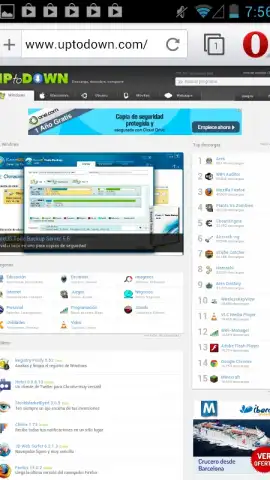

Description Opera beta
A Mobile Browser Engineered for Speed and Data Efficiency
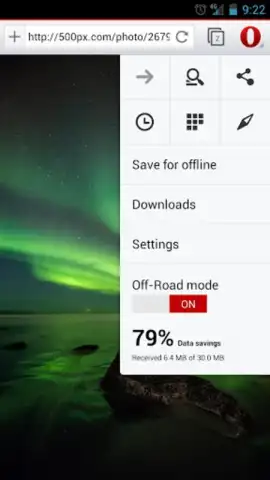
The primary frustration with mobile browsing often stems from sluggish page loads and the rapid depletion of data allowances, especially on cellular connections. Opera Beta directly confronts these core issues, positioning itself not merely as a browser but as a data optimization engine. It functions by routing web traffic through Opera's compression servers, which strip down page elements before they reach your device. This process results in significantly faster rendering times and can reduce data consumption by up to 80% on 3G and 4G networks, translating to tangible savings on metered data plans and less waiting on pages to become interactive.
Interface and Synchronization Designed for Fluid Use
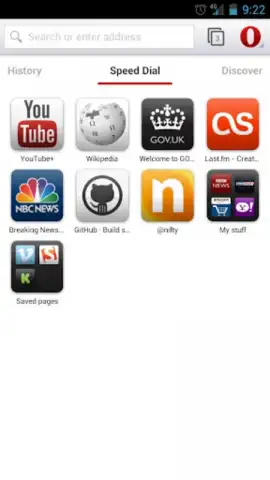
Beyond its compression technology, Opera Beta presents a clean, adaptive interface that maintains visual coherence and usability across the diverse Android ecosystem. The design prioritizes functional clarity, with a focus on touch-centric navigation. Gestures like pinch-to-zoom are implemented with high responsiveness, and customizable touch shortcuts allow for one-handed operation, making common actions like tab switching or refreshing more efficient than traditional button taps. This fluidity is extended through Opera Link, a synchronization service that seamlessly bridges your desktop and mobile experience. It continuously syncs bookmarks, speed dial entries, and browser settings, ensuring your curated web environment is instantly available whether you are at a desk or on the move.
A Feature Set That Prioritizes User Control
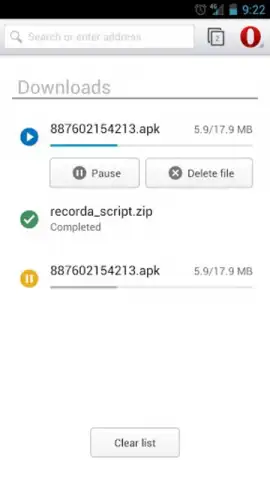
Opera Beta distinguishes itself with a suite of integrated features that streamline the mobile web experience without adding clutter. The built-in ad blocker, part of the Turbo mode, not only removes intrusive advertisements for cleaner page layouts but also contributes to faster loading and lower data usage. Social media integration is handled natively, with quick-access panels for platforms like Twitter and Facebook, facilitating faster check-ins without the need for separate apps. Furthermore, the browser includes a robust download manager with pause-and-resume capabilities, allowing you to save files directly to local storage for offline access or later transfer to a PC.
- Opera Turbo Compression: Leverages server-side optimization to accelerate page loads and drastically reduce mobile data consumption on all network types.
- Cross-Platform Opera Link Sync: Automatically synchronizes bookmarks, speed dial, and settings between your PC and Android device for a unified browsing profile.
- Integrated Ad Blocker & Social Panels: Enhances browsing clarity and speed by blocking ads and providing instant, streamlined access to major social networks.
This combination of performance engineering, thoughtful design, and practical tooling makes Opera Beta a compelling, efficiency-focused alternative to standard mobile browsers. It systematically removes the typical complications of mobile internet use.
Start browsing faster and smarter today. Download the Opera Beta mobile app now.
Internet required. IAP available.
 GooglePlay


