

Petal Mail
Petal Mail screenshots (2)
Description Petal Mail
Streamlining Your Inbox: A Look at Petal Mail for Huawei
Managing email on a smartphone often feels like a compromise. You either juggle multiple apps for different accounts or settle for a cluttered, ad-heavy interface that slows you down. For users within the Huawei ecosystem, Petal Mail presents a focused alternative, designed to integrate directly with the device's hardware and security features. This review examines whether this built-in solution can effectively replace a standalone email client by prioritizing streamlined access and organizational control without the common distractions.
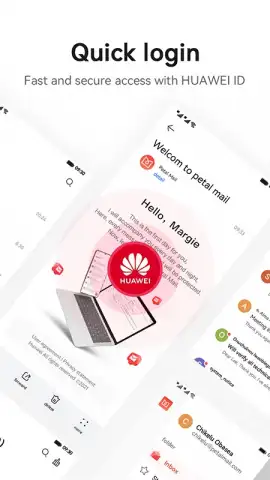
The application’s core functionality is built around deep integration with Huawei's system architecture. Authentication is notably seamless, supporting not just a standard password but also biometric logins via facial recognition or fingerprint, alongside SMS verification for added security layers. The interface adopts a purposefully minimalist design, reducing visual noise to help users focus on the content of their messages. A significant organizational tool is the customizable filter system on the main screen, which allows for the creation of personalized sorting rules to automatically triage incoming mail. Beyond basic sending and receiving, Petal Mail incorporates utilities like the ability to generate calendar event reminders directly from an email and a dedicated system for archiving correspondence and managing a unified contact list.
Key Features and Tools
- Multi-Factor Authentication Suite: Securely access your inbox using biometrics (face or fingerprint), SMS codes, or a traditional password.
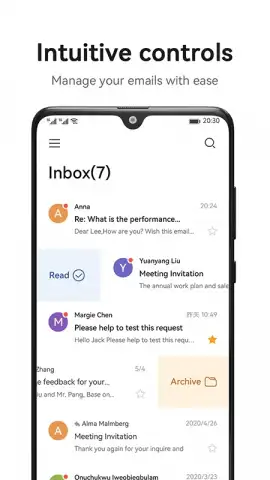
- Customizable Inbox Filtering: Create and manage filters from the main screen to automatically sort and prioritize incoming messages.
- Integrated Productivity Tools: Generate event reminders from emails and maintain a centralized archive and contact list.
The app operates without display advertising, and its performance is further augmented by a proprietary Turbo mode, which claims to optimize loading times and synchronization processes. While it serves as a comprehensive hub for email management on your Huawei phone, it also offers cross-device accessibility; you can log into the web version on a PC using your Huawei account credentials, providing continuity between mobile and desktop workflows.
Download the Petal Mail mobile app now to experience an ad-free, tightly integrated email client. This limited-time offer for Huawei users provides exclusive access to a streamlined communication tool designed to work seamlessly with your device's hardware.
Heads up: you'll need wifi for most features. Some cool stuff is extra.


