

PocketCloud Remote
PocketCloud Remote screenshots (3)
Description PocketCloud Remote
Access Your Computer Directly from Your Android Screen
PocketCloud Remote by Dell transforms your Android device into a full remote terminal for your computer. This business tool enables direct access to files, documents, and installed programs from anywhere, requiring only an internet connection to function.
Core Functionality and Connection Modes
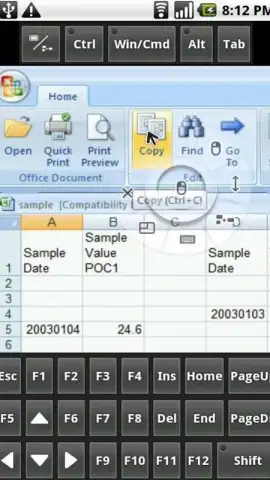
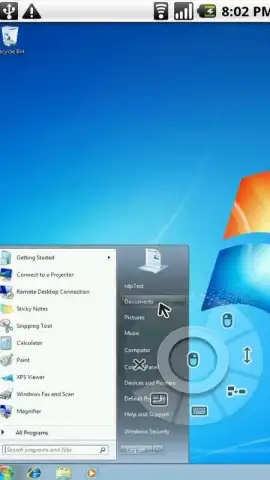
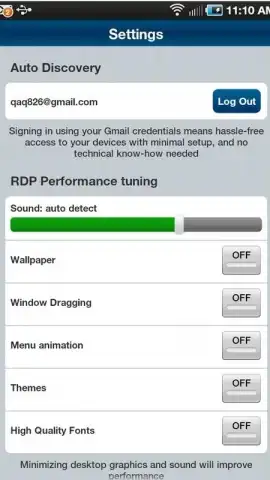
The application establishes a remote desktop session, projecting your computer's interface onto your mobile device. It provides two distinct connection methods. The first is an auto-discovery feature, which guides users through a step-by-step setup process to locate and link to a PC on the same network. The second is an advanced manual mode, allowing connection to any computer by directly entering its details using standard RDP (Remote Desktop Protocol) or VNC (Virtual Network Computing) protocols. This flexibility supports both local network and wide-area network access.
Primary Tools for Remote Control
Once connected, control is facilitated through direct touch input. Your finger acts as the mouse pointer for navigating the desktop, clicking, and dragging. A virtual keyboard pops up on-screen for typing and executing commands. This combination allows you to run virtually any application installed on the host computer—from office suites and design software to system tools—directly from your Android device. The experience is designed for utility, offering a straightforward portal to your full computing environment without complex configuration.
- Remote desktop via RDP/VNC
- Touch screen as mouse pointer
- Integrated virtual keyboard
Download the PocketCloud Remote app immediately and turn your phone into a portable workstation. Don't wait to unlock this level of access—get it today!
Heads up: you'll need wifi or a stable data connection for most features. Advanced connection modes and optimal performance may require proper network configuration on your host computer.


