

POLARIS Office 5
POLARIS Office 5 screenshots (4)
Description POLARIS Office 5
Transform Your Mobile Device into a Full-Featured Office Suite
POLARIS Office 5 provides a comprehensive document solution for creating, editing, and managing files directly on your Android device. It eliminates the need for a desktop computer for common office tasks, enabling you to work on presentations, spreadsheets, and text documents from anywhere. The app supports a wide range of formats for seamless compatibility with colleagues and clients.
Core Functionality and Document Management
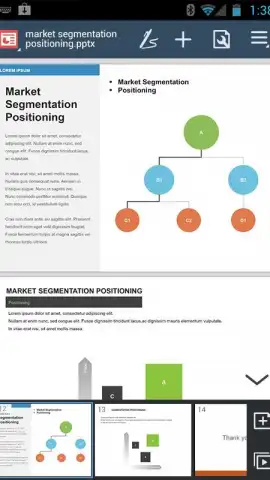
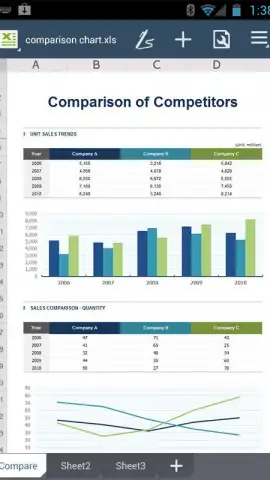
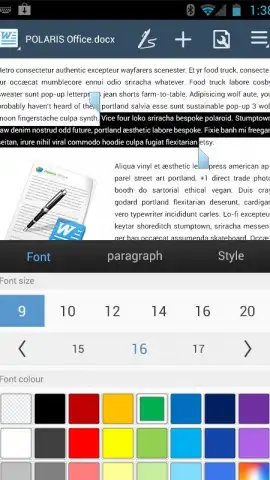
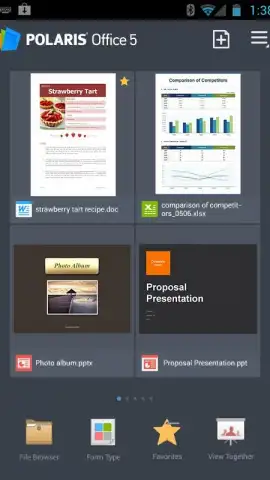
The application centers on robust editing tools for Word documents, Excel spreadsheets, and PowerPoint presentations. You can insert and format tables, charts, and images, apply conditional formatting in sheets, and manage slide transitions. A built-in file manager organizes local and cloud-stored documents, while the PDF module allows for viewing, annotating, and form filling. Real-time collaboration features let multiple users edit the same document simultaneously with change tracking.
Key Operational Advantages
The interface is designed for clarity on mobile screens, with a customizable toolbar for quick access to frequent actions. Performance is optimized for handling large files without significant lag, and the app maintains formatting fidelity when opening complex documents created on desktop software. Support for multiple cloud storage services, including Google Drive, Dropbox, and OneDrive, ensures your files are synchronized and accessible across all your devices.
- Multi-Format Support: Open and edit DOCX, XLSX, PPTX, and PDF files while preserving original layouts and styles.
- Advanced Editing Tools: Utilize formula calculation, slide master editing, and paragraph formatting with precise control.
- Cross-Platform Sync: Access and save documents directly to connected cloud drives for continuous workflow.
We suggest trying POLARIS Office 5 to handle your mobile document editing and collaboration needs efficiently.
Download mobile app now
Disclaimer: This application requires an internet connection for certain features, including cloud synchronization and real-time collaboration. It may contain in-app purchases for premium functions or subscription plans. Some features might be restricted based on your device's operating system version. Data charges may apply when using online services. Please review the app's terms of use and privacy policy for details on data handling.


