
Procreate Paint
Procreate Paint screenshots (6)

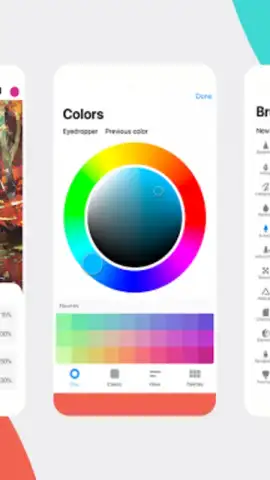
Description Procreate Paint
A Guide to Procreate Paint: What You Actually Get
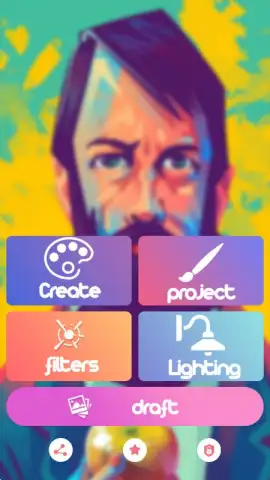
You tap on the app icon, perhaps expecting a certain renowned creative experience, and launch into Procreate Paint. The interface presents itself with four clear, large buttons, inviting you to start a project. This is where your journey with this specific image editor begins, a standalone tool designed for quick adjustments rather than complex digital art. The experience is straightforward, focusing on immediate, hands-on edits to your existing photos with a set of uncomplicated tools. You navigate through its options to apply filters, tweak lighting, or add a playful element, all within a few taps.
Exploring the Core Editing Toolkit
The application organizes its functionality into four primary hubs: Create, Project, Filters, and Lighting. In the Create section, you adjust the fundamental canvas of your image, modifying width and height to prepare it for further edits. Moving to Filters, you scroll through a selection of color filters that can shift the entire mood of a photograph with a single press. The Lighting section hands you control over brightness, allowing you to rescue a dim picture or soften an overly harsh one. Finally, the Project area serves as your workspace to bring these edits together. Beyond these core adjustments, you discover a library of stickers, some with a humorous twist, which you can layer onto your images for a personalized touch.
Key Features at a Glance
- Apply a variety of color filters to instantly change any photo's atmosphere.
- Adjust image brightness and lighting levels directly within the dedicated Lighting module.
- Modify photo dimensions and canvas size using the basic Create tools.
- Access a collection of fun and quirky stickers to decorate your images.
- Navigate a simple, ad-free interface designed for quick, straightforward editing tasks.
Get your creative edit started and add a splash of fun to your photos today.
Heads up: you'll need wifi for initial download and updates. Some advanced features or sticker packs may be available as extra.


