

QEdit
QEdit screenshots (3)
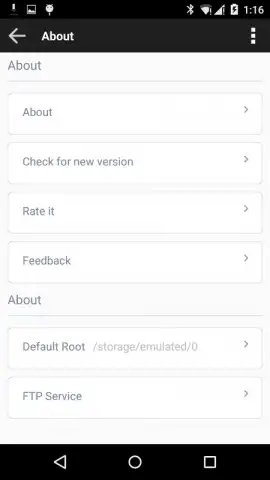
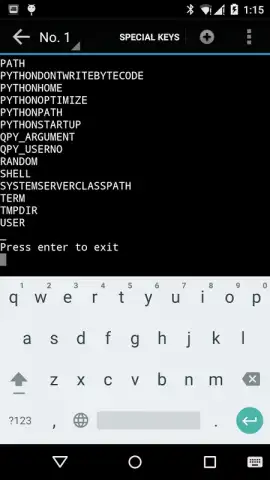
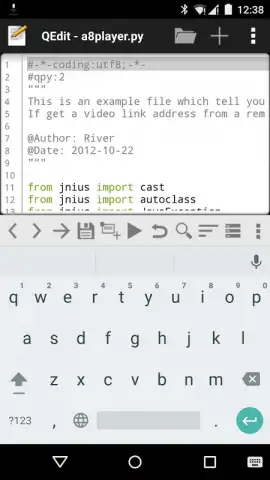
Description QEdit
Need a professional code editor that runs directly on your Android device? QEdit is a dedicated mobile development environment built for editing, executing, and managing scripts and text files on the go. It transforms your smartphone or tablet into a functional workstation for a variety of programming languages, offering a streamlined workflow for developers who need to work outside of a traditional desktop IDE.
Core Editing and Execution Capabilities
QEdit provides a focused environment for writing and running code. It supports syntax highlighting for key languages including Python and Lua, which visually distinguishes commands, functions, and variables to improve code readability and reduce errors. The application enables direct execution of Shell scripts from within the editor interface, allowing for immediate testing of system commands and automation tasks. For web development, an integrated browser component offers instant preview functionality for HTML files, letting you render and inspect web content without leaving the app.
Advanced Tools for Code Management
Beyond basic editing, the app includes utilities for handling larger projects. A powerful search function scans documents to quickly locate specific keywords, variable names, or code snippets, facilitating navigation within extensive files or multi-file codebases. The built-in code sharing feature allows you to export or send fragments of your work to colleagues, supporting collaborative debugging and project discussions directly from your mobile device.
Application Performance and Availability
The standard version of QEdit operates with advertisement support. An optional professional upgrade, often referenced as Turbo mode, removes all advertising interruptions and provides full access to the application's feature set. This tiered model allows users to select a level of functionality that matches their requirements, from casual text viewing to intensive, ad-free script development.
- Syntax highlighting for Python, Lua
- Execute Shell scripts directly
- Instant HTML preview in browser
Get your professional mobile coding toolkit and start developing anywhere. Download the mobile app now.
Disclaimer: This application requires an internet connection for certain functions, including code sharing. In-app purchases are available to unlock the professional, ad-free version. The app is intended for users familiar with programming concepts. Data usage may apply for file operations and preview features. Please review the developer's terms for details on data handling.


