

Quip
Quip screenshots (6)
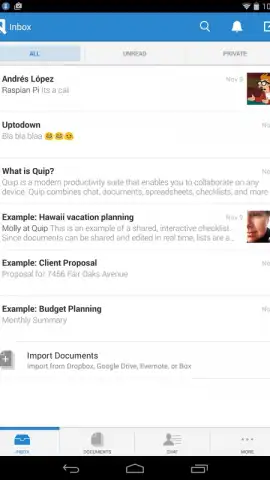

Description Quip
The Document That Works Where You Do
The modern workflow is fragmented across devices, platforms, and team members, creating friction where there should be flow. Quip redefines the productivity tool by merging documents, spreadsheets, and team chat into a single, live surface. It eliminates the cycle of creating a file, sharing a link, and managing feedback across separate applications, directly addressing the inefficiency of collaborative work.
Core Functionality and Integrated Tools
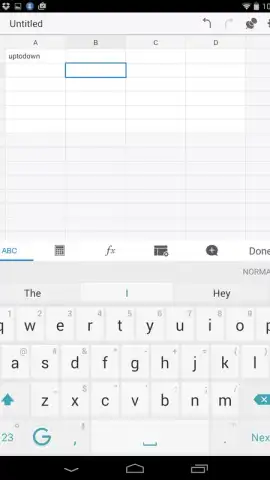
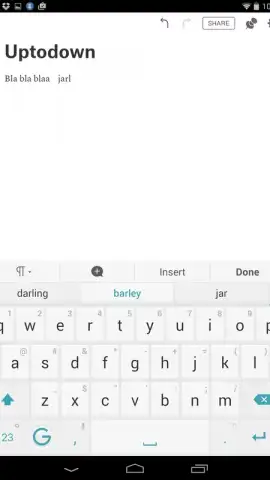
Quip operates on a model of integrated collaboration. Its primary document editor supports rich text, images, and embedded components, but its defining feature is the seamless integration of spreadsheets and checklists directly into any document. Each document, or "quip," contains a persistent chat sidebar where collaborators can discuss edits in real time, tying commentary directly to the content instead of a separate email thread or messaging app. The platform is built for synchronous and asynchronous work, with live cursors and presence indicators showing who is editing what, and all changes saved automatically to a version history.
Key Operational Advantages
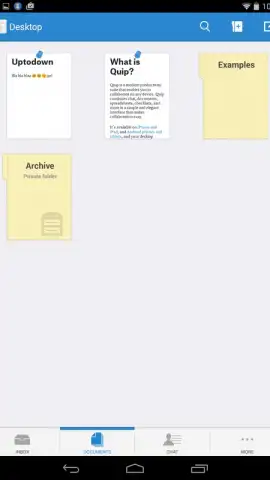
The application’s architecture prioritizes a unified user experience over disparate feature sets. The interface is notably clean and fast, reducing cognitive load by keeping all necessary tools—editing, data, communication—within a single window. Performance is consistent across mobile and desktop, with offline editing capabilities that sync upon reconnection. For teams, the organizational structure is logical, allowing for the creation of shared folders and workspaces that streamline document discovery and access permissions without complex administrative overhead.
- Live collaborative editing and chat
- Embedded spreadsheets and lists
- Full offline access and sync
- Team workspaces and folders
Start consolidating your team's workflow and eliminate app-switching friction today.
Download mobile app now.
Heads up: you'll need wifi for most collaborative features. Some advanced team administration and storage options are extra.


