

Samsung Camera
Samsung Camera screenshots (4)
Description Samsung Camera
A Closer Look at the Default Camera Experience on Samsung Devices
For users of Samsung smartphones, the built-in camera application is often the first and primary tool for capturing daily life. While its presence is a given, the depth of its functionality is frequently overlooked in favor of more flashy, third-party alternatives. This review examines the Samsung Camera app not as a novelty, but as a consistently reliable and deeply integrated imaging platform engineered for both immediacy and control. Its design philosophy prioritizes accessibility, placing a comprehensive suite of photographic tools within a single tap, ensuring you are equipped to capture a moment before it passes, regardless of your technical expertise.
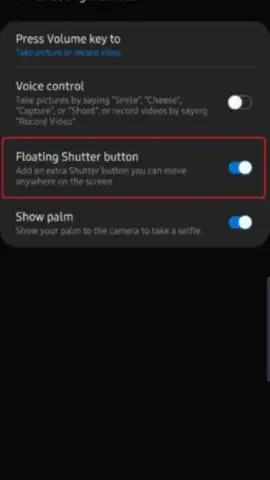
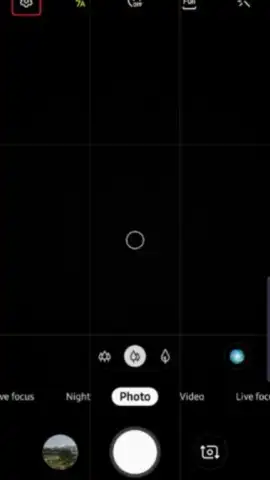
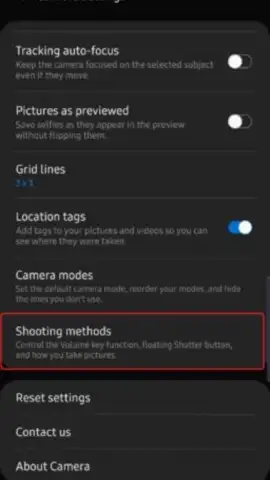
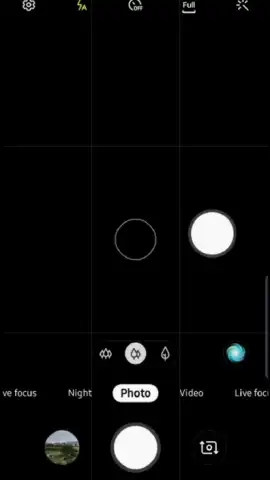
The interface is built around a principle of layered access. The default view is clean and minimalistic, presenting a straightforward shutter button for instantaneous capture. However, a detailed settings menu unfolds to reveal granular controls for managing exposure, applying real-time filter effects, and utilizing a self-timer, among other core photographic parameters. Exploration is intuitive; tapping any icon or option activates it instantly, with no sub-menus or delays to hinder the shooting process. This architecture supports a fluid workflow, allowing you to switch between the rear and front-facing cameras, toggle the flash for stills or video, and adjust essential settings via unobtrusive controls positioned along the screen's periphery. The absence of advertisements creates an uninterrupted environment, letting you focus solely on composition and timing.
Core Functional Analysis
- Provides instantaneous photo and video capture with a single press of the virtual shutter button.
- Offers a detailed settings panel for manual control over light levels and exposure compensation.
- Includes a selection of real-time visual filters that can be applied prior to taking a shot.
- Features a versatile self-timer function for hands-free group photos or stable self-portraits.
- Enables seamless switching between rear and front-facing cameras with flash support for both.
The application’s strength lies in its optimization for the hardware it accompanies. It functions as a direct gateway to the sensor's capabilities, often enabling features and processing speeds that third-party apps cannot match. While it may not boast the niche artistic filters of some competitors, its reliability, speed, and deep system integration make it an exceptionally competent daily driver for photography.
Download the Samsung Camera app now to unlock the full, ad-free potential of your device's camera system. This is your exclusive access to the most stable and hardware-optimized shooting experience available.
Internet required. IAP available.


