

Samsung Flow
Samsung Flow screenshots (5)

Description Samsung Flow
A Seamless Digital Bridge: Analyzing Samsung Flow's Ecosystem Integration
Imagine beginning your workday by unlocking your Windows laptop not with a password, but simply by having your authenticated Samsung smartphone nearby. This is the foundational premise of Samsung Flow, a system-level application developed by Samsung Electronics Co., Ltd. designed to create a persistent, secure link between your Samsung Android device and your Windows PC or Samsung tablet. It functions less as a standalone app and more as a background service that erodes the traditional barriers between devices, aiming to create a unified operational field. The core objective is to minimize repetitive actions—like manual file transfers or checking your phone for notifications while working—by automating continuity across your primary gadgets. This review examines the practical mechanics, requirements, and real-world application of this ecosystem tool.
Core Functionality and Feature Set
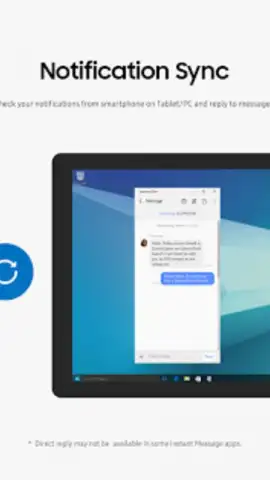
The application operates on a principle of proximity-based authentication and data tunneling. Once paired, your smartphone acts as a trusted key for your other devices. The much-discussed biometric unlock feature allows a Windows 10 or 11 PC or a tablet to be unlocked using the fingerprint sensor or facial recognition on a paired Samsung phone, effectively extending your phone's security layer. Beyond access, Samsung Flow establishes several persistent data channels. A primary channel mirrors smartphone notifications directly to the Windows taskbar or tablet interface, allowing for preview and dismissal without touching the phone. Another channel facilitates instant file sharing; content can be dragged and dropped between devices within the Flow interface, or photos taken on the phone can be set to automatically appear in a designated folder on the PC.
For connectivity, the app provides a streamlined method to share your phone's mobile internet. With a single toggle within the Flow interface on your PC, you can activate the smartphone's mobile hotspot and connect the PC to it, bypassing the need to manually enable the hotspot on the phone and then search for networks on the laptop. The application also supports a "Call & Message Continuity" feature, permitting users to answer phone calls and reply to SMS messages directly from their PC or tablet, provided the necessary optional permissions are granted on the smartphone. It is critical to understand that this is not an emulation or remote control software; it is a protocol for sharing specific states and data between authenticated devices running official Samsung and Microsoft operating systems.
Technical Specifications and Operational Requirements
Compatibility is a decisive factor for Samsung Flow. The Windows device must be running Windows 10 OS Creators Update (version 1703, build 15063.413 or newer) or a later version, including Windows 11. The Android device requires Android 7.0 (Nougat) or higher, but full feature support is inherently tied to the specific hardware and software capabilities of the Samsung smartphone model. The connection is established and maintained via Bluetooth Low Energy for proximity sensing and initial handshake, with Wi-Fi or LAN taking over for high-bandwidth tasks like file transfers. It is a closed ecosystem solution; the application will not function with non-Samsung Android devices or PCs without the requisite Bluetooth/Wi-Fi hardware support.
The permission structure is tiered. Essential permissions for nearby devices, notifications, and storage are mandatory for core functionality. Optional permissions—for phone calls, contacts, SMS, and others—unlock the expanded communication features like call answering. Users should note that certain features, such as PC unlock via smartphone, are subject to change based on underlying OS security policy updates from Microsoft, as has occurred in the past. The application is updated periodically, with new versions potentially adding features or refining compatibility, necessitating maintenance updates on both the mobile and desktop sides.
- Cross-Device Biometric Unlock: Securely access your Windows PC or tablet using your Samsung phone's fingerprint or facial recognition.
- Unified Notification Center: View, manage, and dismiss all smartphone alerts directly from your computer's desktop or tablet.
- Instant Content Relay: Transfer files, documents, and images between devices with drag-and-drop simplicity or automated photo sync.
Download Samsung Flow now and configure the definitive link between your Samsung phone and Windows PC! Stop juggling devices and experience a truly connected workflow today. Get it immediately from the Galaxy Store or Windows App Store.
Heads up: you'll need wifi for most features. Some cool stuff is extra.
 GooglePlay


