

Samsung Good Lock
Samsung Good Lock screenshots (6)
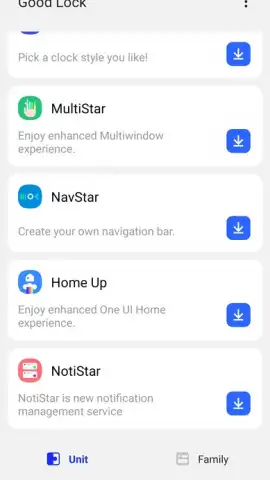
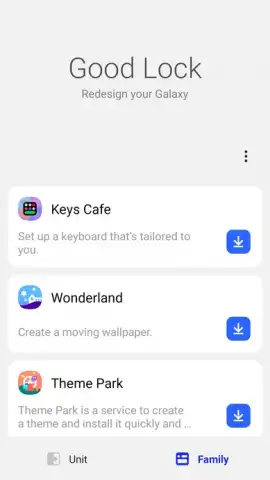
Description Samsung Good Lock
Unlocking Your Samsung's Hidden Potential
For many users, the interface of a Samsung smartphone, while powerful, remains a static experience defined by the manufacturer. The desire for deeper personalization—to move beyond standard themes and truly tailor the interaction model to one's workflow and aesthetic—often goes unmet by default system settings. Samsung Good Lock addresses this directly. It is not a single application but a modular hub developed by Samsung Electronics, providing sanctioned, system-level tools to deconstruct and reconfigure core elements of the One UI interface. This review examines its mechanics as a legitimate customization suite for users seeking granular control without requiring root access.
A Deep Dive into Modular Customization
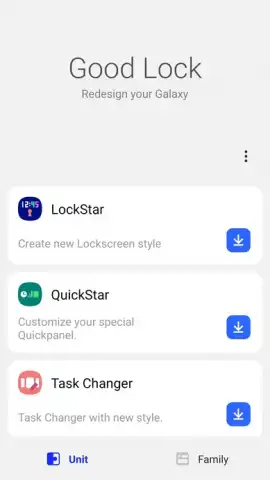
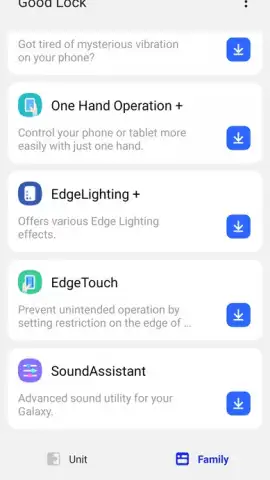
Samsung Good Lock operates on a plugin architecture, where the main app serves as a gateway to individual modules, each targeting a specific subsystem. This modular approach allows for focused, stable customization. The LockStar module, for instance, provides forensic control over the lock screen. Users can reposition clock widgets with pixel precision, redesign the layout of notification cards, and even integrate quick-access shortcuts directly onto the always-on display and lock screen canvas. It transforms the lock screen from a passive view into a configurable command center.
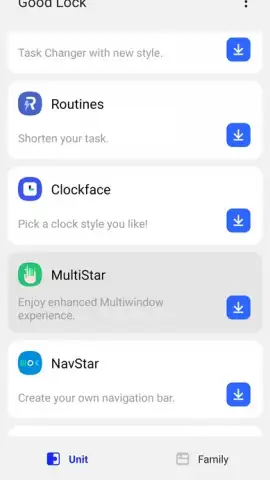
The Task Changer module reengineers the recent apps overview. It replaces the default horizontal scroll with multiple optional layouts: a compact grid, a vertical list, or a rotary carousel. Each layout alters the ergonomics of multitasking, allowing users to select a style that best matches their speed of recognition and thumb reach. Furthermore, the QuickStar module allows for detailed adjustments to the notification shade and status bar, including signal icon styles, clock positioning, and notification panel color schemes. For visual theming, Theme Park enables the creation of complete color palettes from any wallpaper, applying a harmonious tint across system menus, buttons, and supported apps, while ClockFace offers an extensive gallery of always-on display and lock screen clock designs.
- Granular lock screen and AOD designer
- Redesigned multitasking task switcher
- System-wide color palette and theme engine
- Status bar and notification shade controls
This suite represents a shift from superficial theming to functional interface remodeling. The absence of third-party advertisements within the modules ensures an uninterrupted experience, and the direct integration with Samsung's framework guarantees compatibility that third-party launchers cannot always achieve. It is a tool for users who perceive their device's interface not as a fixed environment, but as a malleable one.
Claim Your Advanced Control Now
Stop accepting the default layout. Download Samsung Good Lock from the Galaxy Store today and begin the process of engineering a smartphone interface that is uniquely calibrated to your habits and preferences. Start building your personalized workflow now.
Disclaimer: This application requires a Samsung device running a compatible version of One UI and an internet connection for initial module downloads. Some advanced modules may require in-app purchases for full feature sets. The app may request permissions to modify system settings and display over other apps to function correctly. Data usage depends on module downloads. It is intended for users familiar with system customization.
 GooglePlay


