

Samsung Phone
Samsung Phone screenshots (2)
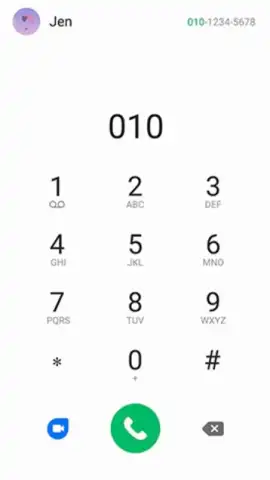

Description Samsung Phone
The Default Calling Experience for Your Samsung Device
Samsung Phone is the integrated dialer and call management application pre-installed on Samsung smartphones. This essential system tool provides the core functionality for placing and receiving voice calls directly from your device. It is designed to operate seamlessly with Samsung's hardware and software, offering a stable and reliable telephony interface that manages your primary communication channel.
The application displays incoming call information with on-screen notifications, showing the caller's phone number. When the number is matched to an existing entry in your device's address book, the app automatically presents the saved contact name and any associated profile picture. The interface allows you to initiate outgoing calls through multiple methods: by selecting a contact from your list, manually entering a number using the on-screen keypad, or tapping on a number from your call history or a text message.
As the default system application, it runs without third-party advertisements. Its integration provides direct access to the phone's modem, which can contribute to consistent call connection performance. Users seeking different feature sets or interfaces can replace it with alternative dialer apps available for download, as the Android operating system permits changing default applications for calling functions.
Core Functionality
- Integrated Calling Interface: Manages all voice call connections, including placing, receiving, and ending calls directly from your Samsung smartphone.
- Automatic Caller Identification: Displays incoming phone numbers and matches them to saved contacts to show names and profile photos.
- Dual Call Initiation Methods: Enables outgoing calls via direct contact list selection or manual input using the digital keypad.
Install the definitive calling utility designed for your device's ecosystem. Download the mobile app now to access the baseline telephony service.
Internet required. IAP available.


