

Samsung Write on PDF
Samsung Write on PDF screenshots (3)
Description Samsung Write on PDF
Imagine you’ve just received a critical contract or a project brief as a PDF. Instead of printing, signing, scanning, and resending, you can annotate it directly on your Samsung device. Samsung Write on PDF transforms your tablet or phone into a direct editing platform for PDF documents, eliminating the need for separate desktop software or complex workflows.
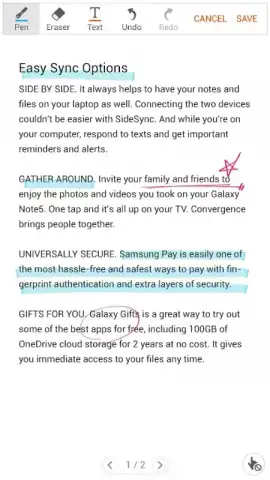
This application provides a dedicated toolset for interacting with PDF files. It enables users to draw freehand notes, insert typed text, and fill out interactive form fields directly on the document. The built-in PDF viewer allows for immediate opening and navigation of files stored on the device. A key operational note is that editing capabilities are contingent on the document's inherent permissions; commenting and form filling are only possible if the original PDF author has enabled these functions.
Core Functionality and Tools
The app delivers a practical suite of annotation instruments designed for clarity and precision.
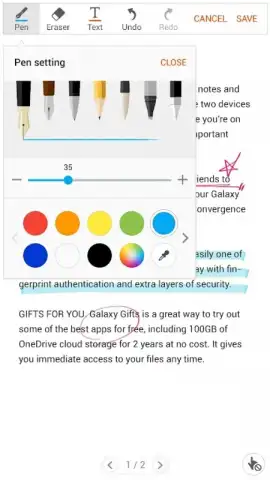
- Customizable Brush and Pen Tools: Select from various brush styles and pen types for highlighting, underlining, or freeform drawing, with adjustable color and thickness controls.
- Interactive Form Completion: Directly input text into fillable PDF form fields, enabling the digital completion of applications, surveys, and other documents.
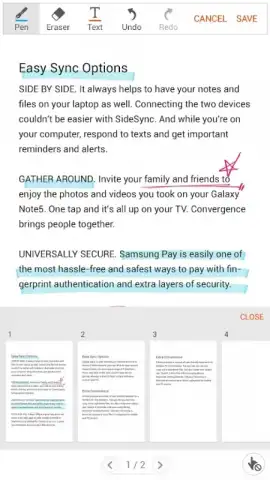
- Integrated PDF Viewer and Manager: Open, read, and manage PDF files from local device storage within a dedicated viewing environment, streamlining the workflow from review to annotation.
Download this essential business tool now and handle your documents on the go!
Internet required. IAP available.


