

Schedule Planner Classic
Schedule Planner Classic screenshots (10)
Description Schedule Planner Classic
Imagine your day not as a list of chores, but as a canvas you can design. You start with a plan, but life happens—meetings shift, errands pop up, and suddenly your perfect schedule feels out of sync. What you need isn’t just a notepad or a basic calendar alert; you need a command center that adapts with you, showing not just what you planned to do, but what you actually accomplished. This is the core experience offered by Schedule Planner Classic, a sophisticated time management tool built for those who measure their days in progress, not just in passed hours.
A Planner That Thinks in Realities
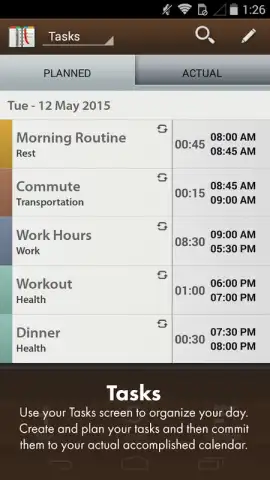
The application moves beyond simple to-do lists by introducing a fundamental distinction: the planned day versus the actual day. You build your ideal schedule with ease, dragging tasks into time slots across a clean, intuitive interface. Then, as your day unfolds, you mark tasks as completed. The visual shift is immediate and powerful, providing a transparent, honest overview of your productivity flow. This isn’t about guilt for missed tasks; it’s about gaining actionable insight into how you truly spend your time, enabling you to refine your planning strategy for tomorrow.
Your Data, Organized and Insightful
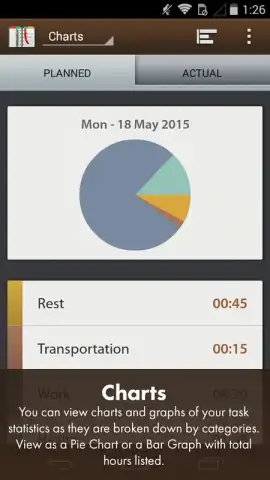
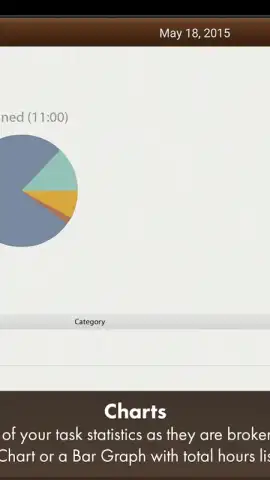
Categorization is the first layer of mastery. You assign tasks to customizable groups like Food, Health, or Work, each tagged with a distinct color. This transforms your schedule from a monochrome list into an organized, visual map of your life’s domains. The true power, however, is unlocked in the Statistics screen. Here, your categorized data feeds into clear, instantly understandable pie charts and bar graphs. You don’t just see that you worked; you see the precise proportion of your day dedicated to work versus health versus personal tasks, offering a factual basis for better life balance.
Seamless Integration and Ironclad Security
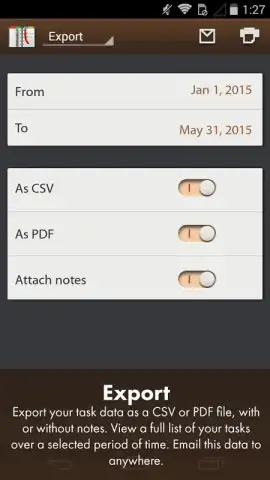
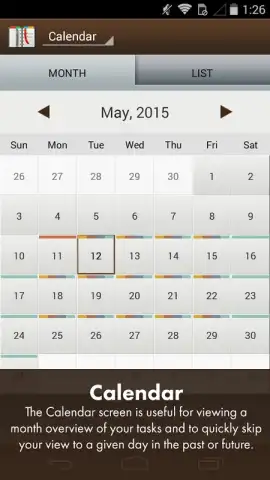
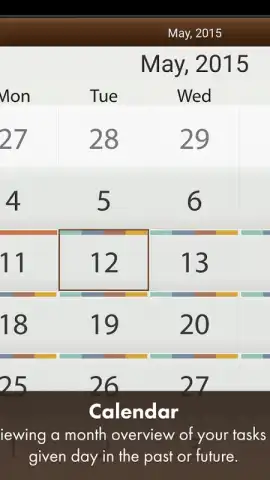
Long-term planning is facilitated by multiple viewing options, including a graphical calendar and a streamlined list format, both enriched by your color-coded categories. Your data’s safety and portability are paramount. You can export entire schedules or specific project details into comprehensive CSV or PDF reports, complete with all your attached notes. Cloud backup ensures your plans are never lost, allowing for effortless recovery and seamless syncing across all your devices. Furthermore, direct integration with Google Calendar creates a unified planning ecosystem, so no commitment is ever missed.
A Foundation for Advanced Customization
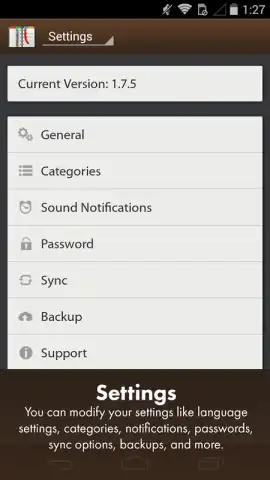
The application serves as a robust foundation that grows with your needs. It offers a depth of advanced settings and personalization options that cater to specific workflows. You can create entirely custom categories beyond the defaults, tailor notification sounds and schedules to ensure you never overlook a critical task, and adjust the interface to match your personal productivity rhythm.
- Dual-View Productivity: Master your day with the unique PLANNED vs ACTUAL tracking, turning intention into actionable insight.
- Visual Data Intelligence: Analyze your life balance through dynamic pie charts and bar graphs generated from your task categories.
- Complete Categorization System: Organize tasks with predefined or fully custom color-coded categories (Food, Health, Work, etc.).
- Flexible Calendar Views: Navigate your schedule using both traditional graphical calendar and streamlined list formats.
- Robust Data Management: Securely export schedules to CSV/PDF and rely on automated cloud backup for data safety and cross-device sync.
- Ecosystem Integration: Maintain harmony across platforms with seamless, two-way synchronization with Google Calendar.
- Deep Personalization: Configure custom notifications, create unique categories, and adjust settings to fit your exact personal and professional needs.
Download Schedule Planner Classic Now — Exclusive Access for First Users!
This is more than an app; it’s a productivity system offered for a limited time. Transform how you plan, track, and achieve. Install today and claim your exclusive access to a new level of organized efficiency. Don't just plan your day—command it.
Disclaimer: Schedule Planner Classic requires an internet connection for cloud backup, data sync, and calendar integration services. The application may offer in-app purchases for additional premium features or subscriptions.


