

Screen Mirroring
Screen Mirroring screenshots (4)
Description Screen Mirroring
Transform Your Phone into a Universal Media Hub
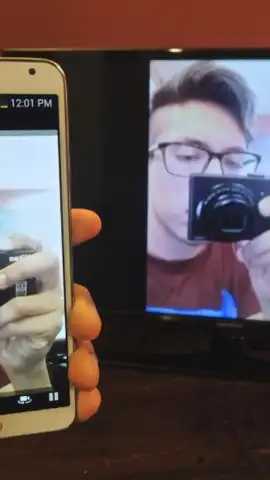
Stop keeping your videos trapped on a small screen. Screen Mirroring is your direct wireless bridge to the big TV in your living room, turning your smartphone into a powerful, universal media controller. This app effortlessly streams any video content you have—whether it's a saved movie file in your phone's gallery, a trending clip from YouTube, or a professional video from Vimeo—directly to your television. It eliminates the hassle of cables and complicated setups, providing a seamless viewing experience for movies, personal videos, tutorials, and presentations with just a few taps.
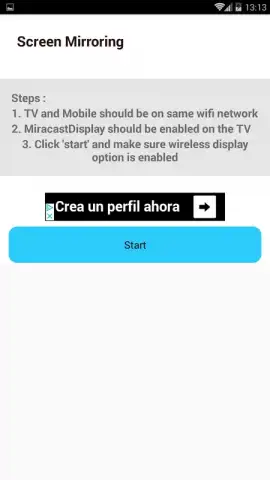
The setup is designed for universal compatibility and speed. Simply ensure both your Android smartphone and your TV or streaming device are connected to the same Wi-Fi network. Activate the 'Miracast Display' or similar screen mirroring function on your TV, then press 'Start' in the app. Your phone's display, along with its audio, is instantly mirrored on the large screen, and video playback begins automatically without further configuration. The app enhances this core functionality with integrated remote control features, putting essential commands like volume adjustment, playback pause, and channel switching right in your hand, so you never have to search for the physical remote again.
Experience a superior, uninterrupted mirroring session. The app offers a Turbo mode, which optimizes the connection for smoother, lower-latency streaming. This mode helps minimize lag and ensures a stable picture, which is crucial for fast-paced action movies or gaming. Importantly, activating Turbo provides an ad-free environment, removing all banner and video advertisements for a completely clean and focused viewing session.
- Universal Video Streaming: Cast videos from local storage, YouTube, Vimeo, and other platforms directly to your TV over Wi-Fi.
- Integrated Remote Control: Manage playback, volume, and channels directly from your phone's screen during mirroring.
- Turbo Mode for Premium Performance: Enjoy an ad-free experience with optimized streaming for reduced lag and a stable connection.
Download the Screen Mirroring app now and claim your front-row seat to everything you watch.
Heads up: You'll need a stable Wi-Fi connection for all mirroring features. Compatibility requires a TV or device with Miracast, Google Cast, or similar wireless display functionality. Some advanced features may be version or device-dependent.


