

Screen Time Remote Control
Screen Time Remote Control screenshots (4)
Description Screen Time Remote Control
Is your household's screen time a constant negotiation, a source of friction that disrupts the peace? What if you could manage it all from your own device, with precision and without confrontation? Screen Time Remote Control transforms your phone into a central command hub, offering a sophisticated and non-intrusive method to oversee and regulate device usage on your local network. This tool is designed for those seeking practical solutions over perpetual arguments, providing clear oversight in a connected world.
Core Functionality & Analytical Overview
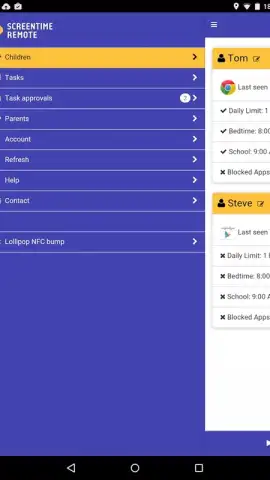
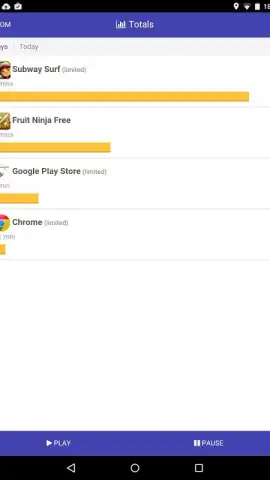
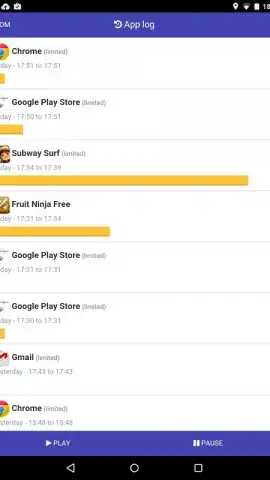
The application operates by establishing a secure connection with other devices on the same Wi-Fi network. Once paired, it grants you granular control over a target device's screen time and application access. The interface is built around a dashboard that displays real-time usage statistics, allowing for data-driven decisions rather than guesswork. You can view which applications are consuming the most time, set daily or weekly limits for specific apps or overall device use, and schedule enforced breaks or downtime—all configured remotely. The system works silently in the background on the managed device, executing your parameters without requiring constant physical intervention or creating a disruptive monitoring presence.
Key Operational Advantages
The primary strength of this utility lies in its combination of comprehensive control and user experience designed for minimal friction. The setup process is streamlined, avoiding complex port forwarding or technical jargon. Visual feedback through charts and timelines makes usage patterns immediately understandable, turning abstract concerns into actionable data.
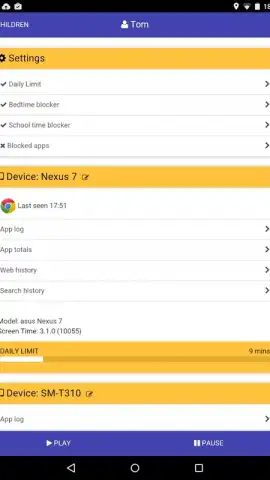
- Remote Schedule Management: Define precise daily windows for device access or block specific hours for focused work or sleep.
- Application-Level Restrictions: Impose individual time limits on games, social media, or any app to promote balanced usage.
- Instant Pause Functionality: Remotely lock a device's screen immediately for meals, conversations, or family time.
- Usage Analytics Dashboard: Review detailed reports on total screen time and per-app activity to inform your management strategy.
- Multi-Device Profile Support: Create and manage distinct sets of rules for different family members or devices from one central interface.
Don't wait for the next debate over device use to begin. Take proactive, precise control of your digital environment today.
Download Screen Time Remote Control now and establish a new standard for managed screen time in your home.
Heads up: you'll need wifi for most features. Some cool stuff is extra.
 GooglePlay


