

Screenshot Easy
Screenshot Easy screenshots (4)
Description Screenshot Easy
A Utility App That Replaces the Default Android Screenshot Method
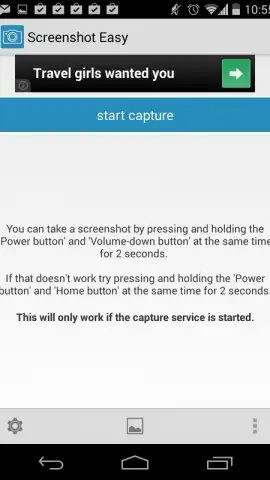
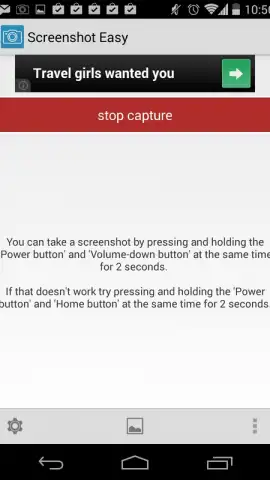
Screenshot Easy by Ice Cold Apps is a specialized utility designed to replace and extend the built-in screenshot functionality on Android devices. It moves beyond the standard hardware button combination to offer users granular control over the capture process, file management, and activation methods. This review examines its operational mechanics and the practical advantages it provides for users who frequently capture their screen.
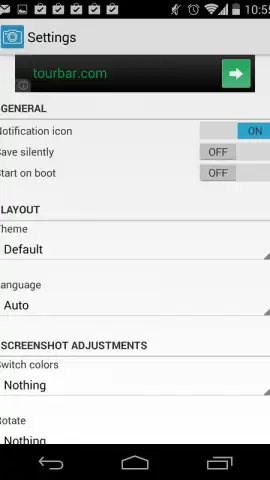
The core function allows screenshots to be saved in either JPG or PNG format to a user-specified directory, offering immediate organizational benefits over the default system folder. Its primary utility, however, lies in its configurable triggering mechanisms. Beyond the standard button press, the app can activate a screenshot via a device shake or a persistent notification tile, accommodating different device models and user preferences. This flexibility is particularly useful for devices with awkwardly placed buttons or for capturing content in apps that may interfere with standard methods.
Key Features and Operational Analysis
- Configures multiple capture triggers including shake gesture and notification tile.
- Selects specific image file format and save location for immediate organization.
- Replaces the standard volume-down and home button combination entirely.
- Provides a floating capture button for one-tap screenshot activation.
- Offers editing tools for quick cropping and annotation directly after capture.
The app presents a clear value proposition for power users, students, or professionals who document mobile information regularly. The ability to bypass physical buttons can also reduce wear and streamline workflow. The optional Turbo version removes advertisements and potentially unlocks advanced features, presenting a straightforward upgrade path for uninterrupted use.
Download Now: Exclusive early access to the latest stable version (8.6.19) is available for a limited time. Install Screenshot Easy today to upgrade your Android workflow.
Heads up: you'll need wifi for initial download and updates. Some cool stuff is extra.
 GooglePlay


