
SE File Manager
SE File Manager screenshots (6)
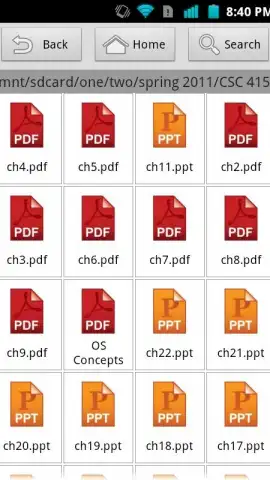
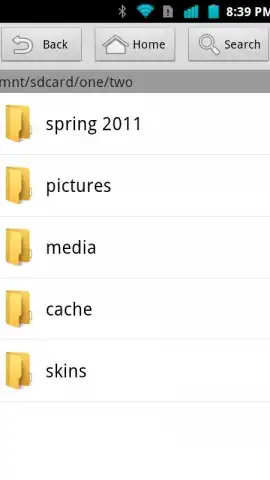
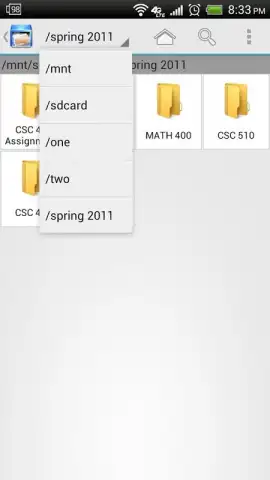
Description SE File Manager
Tired of a Messy Phone? Reclaim Your Digital Space.
Does your Android device feel like a digital junk drawer? Photos mixed with downloads, old APKs you forgot about, and that one file you swear you saved somewhere. Hunting for anything becomes a chore, and clunky, ad-filled file managers just add to the frustration. What if you had a clean, powerful tool that made file management feel simple, fast, and entirely under your control? That’s the experience waiting for you with SE File Manager. This isn't just another utility; it's your personal organizer, designed to cut through the clutter and give you back a sense of order on your device. Imagine finding any file in seconds, moving whole folders with a tap, and doing it all in a serene, ad-free environment. Your phone's storage is about to get a major upgrade.
A Clean, Powerful Hub for Everything on Your Device
SE File Manager transforms the often tedious task of file management into a smooth, intuitive process. From the moment you open the app, you'll notice the difference: a clean interface that puts your files front and center, not distracting banners or pop-ups. This focus on a pure user experience means you can concentrate on what matters—organizing your digital life. The app acts as a universal command center for all your file types, whether they're documents, images, music, or archives. It’s built specifically for Android, ensuring buttery-smooth performance that feels native to your device, with a lightweight design that won’t slow down your phone. You get the power of advanced file control without any of the usual complexity or annoyance.
Features Designed for Real-World Use
This app goes beyond basic copy and paste. It understands how you actually use your phone and packs in smart features to match.
-
Truly Ad-Free & Turbocharged: Experience the luxury of an uninterrupted workflow. The app removes all advertising clutter, and with its Turbo-optimized performance, every action—from searching to moving large files—feels instantaneous and seamless.
-
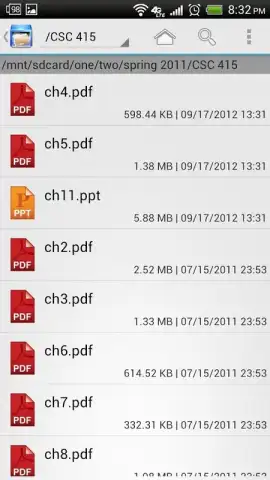
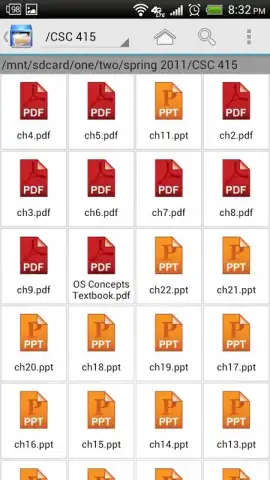
Dual-View Flexibility: Customize how you see your files. Switch between a detailed list view for sorting through metadata or a spacious grid view for visually browsing photos and documents. This flexibility lets you navigate your storage exactly the way you want.
-
Batch Operations Mastery: Save massive amounts of time. You can select multiple files or entire folders at once to delete, copy, move, or rename them in a single action. Organizing large collections of photos or cleaning up downloads has never been faster.
-
Smart Search & Preview: Find anything instantly with the powerful search function. Plus, get handy previews for images and even see the icons of APK files before you open them, so you always know exactly what you’re about to access.
-
Advanced Sorting & Archiving: Take control with multiple sorting options: by name, date, size, or file type to bring order to any folder. Need to save space or send a group of files? Use the built-in tools to compress files into ZIP archives or unpack existing ones with ease.
-
Optimized Android Experience: Built from the ground up for Android, it ensures stable, reliable operation across different device models and system versions, providing a consistently smooth tool that just works.
We suggest trying SE File Manager today to finally bring peace and productivity to your device's storage. Consider downloading it now and feel the immediate difference of a clean, capable, and ad-free file organizer.
Download the SE File Manager mobile app now.
Heads up: you'll need an active internet connection for initial setup and certain advanced features. The core file management experience is fully free and ad-free, while some enhanced Turbo functionalities may be part of optional premium modules.


