

Secure Photo Gallery
Secure Photo Gallery screenshots (6)
Description Secure Photo Gallery
Your Private Media Stays Private
For anyone concerned about personal file security or unauthorized access when their device is left unattended, Secure Photo Gallery provides a dedicated vault. This application directly addresses the risk of prying eyes by placing a secure barrier between your sensitive photos, videos, and the default gallery. It allows you to hand off your phone with significantly reduced concern about someone browsing your private multimedia files.
Core Functionality and User Workflow
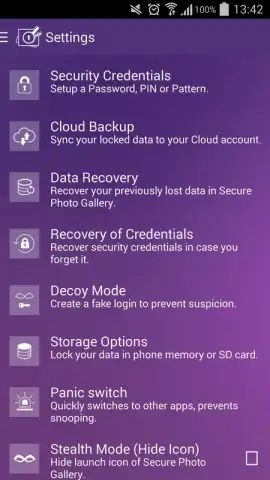
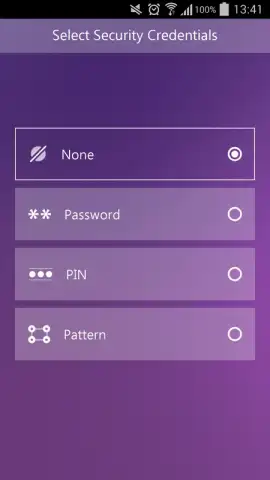
The application operates by creating an encrypted space within your device's storage. Upon first launch, you are required to set a primary access code, which forms the foundation of the security layer. This code can be configured as a numeric PIN, a graphical pattern, or an alphanumeric password, offering flexibility based on user preference. The established password can be changed at any time from the settings menu, provided the current valid code is entered correctly.
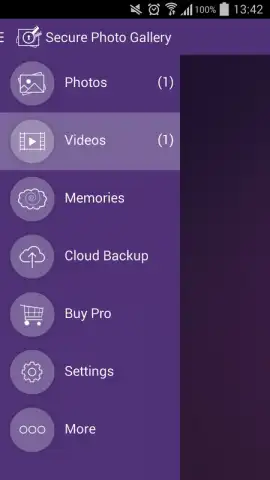
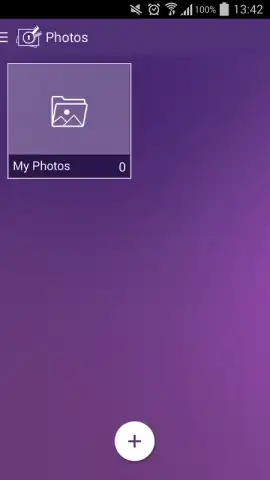
Secure Photo Gallery scans and imports media from your device's standard gallery, including images captured by the camera, downloaded from websites, or saved from social media platforms. You maintain granular control, selecting specific files and folders for protection while leaving non-sensitive items accessible. New photos can be automatically added to the secure vault or allowed to remain in the standard gallery based on your configured rules.
A defining feature is the decoy password function. This allows you to set a secondary, fake password. When entered, this password opens a curated view containing only non-sensitive files you have pre-selected, creating a plausible decoy gallery. This is particularly useful in social pressure situations where you are asked to reveal your gallery but wish to avoid disclosing your truly private content without raising suspicion.
- Flexible Access Codes: Establish security using a numeric PIN, a custom graphical pattern, or a full alphanumeric password, all changeable via settings.
- Selective Media Protection: Manually choose specific images, videos, and folders to encrypt or configure rules for automatic protection of new content.
- Decoy Password System: Create a secondary fake password that opens a separate, innocuous gallery to misdirect unauthorized access attempts.
We suggest trying Secure Photo Gallery if you require straightforward, user-controlled encryption for your personal media library. Consider downloading it to implement an immediate and configurable privacy layer for your photos and videos.
Heads up: you'll need wifi for initial setup and potential app updates. Some advanced features may be part of future premium modules.


