

SideSync
SideSync screenshots (4)
Description SideSync
Managing Files Between Samsung Devices and a PC Often Feels Disconnected
For users operating within the Samsung ecosystem, transferring files, managing notifications, and accessing a smartphone's full functionality from a computer typically requires a patchwork of cables, cloud services, and separate applications. This process interrupts workflow and creates a barrier between devices that are meant to be complementary. SideSync by Samsung Electronics is a system utility designed to eliminate this friction by establishing a direct, high-speed bridge between a Samsung Android device and a Windows PC. It transforms the relationship from simple file transfer to integrated device control and mirroring.
Core Functionality and Operational Analysis
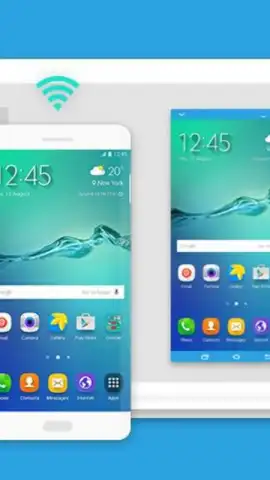
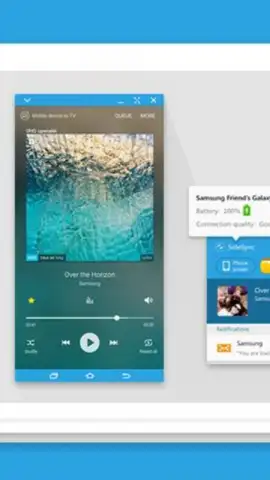
The application creates a persistent, wireless connection between compatible Samsung smartphones, tablets, and a computer. Once paired, the primary interface is a real-time screen mirroring window on the PC desktop, which displays the exact contents of the mobile device. This is not a simple static cast; it allows for full interactive control. Clicks and drags from the computer's mouse and inputs from its keyboard are translated into touch and text input on the mirrored Android device. The practical effect is that the user can operate their phone without physically handling it, accessing any app, game, or system setting directly from their computer's monitor.
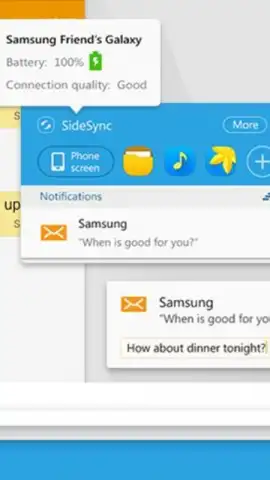
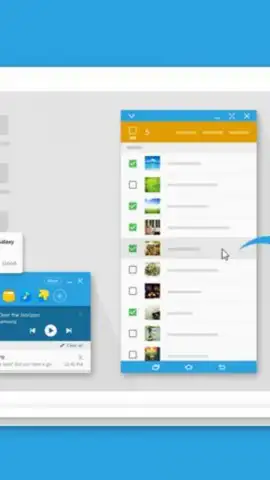
A significant functional layer is the seamless file management system. The SideSync interface supports direct drag-and-drop operations between the PC's native file explorer and the mirrored device screen or its dedicated file transfer panel. This bypasses the need for intermediary storage, enabling instant transfer of documents, images, and videos in either direction. Furthermore, the integration extends to core communication functions. When the phone receives a call or text message, notifications appear on the PC, and the user can answer calls using the computer's microphone and speakers or send SMS replies directly from the keyboard, leaving the phone in a bag or on a charger.
The utility also supports multi-device management for users with more than one Samsung product, such as a phone and a tablet. While the connection is typically one-to-one at a given moment, the software facilitates quick switching between registered devices. This setup is particularly useful for tasks like configuring a new tablet using the familiar interface of an existing phone or pulling a file from a secondary device without breaking the primary phone-PC connection. The absence of advertising within the app interface ensures an uninterrupted experience, with performance reportedly enhanced by a proprietary data transfer protocol the developer refers to as Turbo mode.
- Establish a mirrored, interactive display of your Samsung phone or tablet on your Windows PC desktop for full remote control.
- Transfer files instantly in either direction using intuitive drag-and-drop mechanics between computer and device.
- Handle phone calls and SMS text messages directly from your PC using its native input and audio hardware.
- Manage multiple registered Samsung devices from a single computer interface for streamlined configuration and access.
- Operate without interface advertisements, utilizing a dedicated protocol for stabilized, high-speed data synchronization.
We suggest trying SideSync if your workflow involves constant switching between a Samsung Galaxy device and a Windows computer, as it consolidates control into a single operational hub. Consider downloading the application to eliminate the physical dependency on your phone during desktop work sessions.
Internet required. IAP available.


