

Skitch
Skitch screenshots (6)

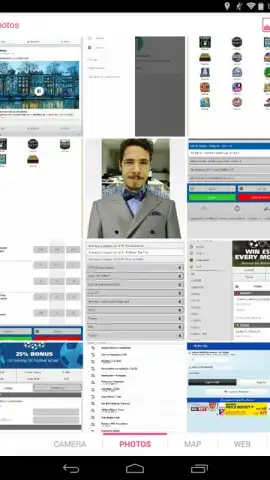
Description Skitch
The Problem with Visual Communication
Effectively annotating and marking up images, maps, or documents directly on a mobile device has often required a clumsy combination of separate apps. You capture a screenshot, open an editor, struggle with imprecise tools, and then face hurdles when trying to share the final marked-up file. This process interrupts workflow and fails to provide a seamless, all-in-one environment for visual feedback, planning, or instruction.
A Centralized Annotation Workspace
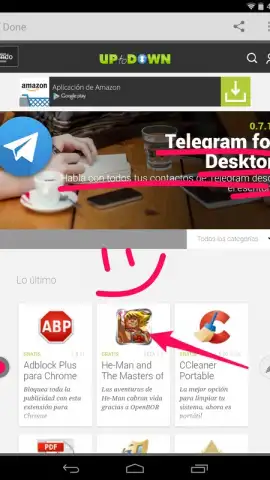
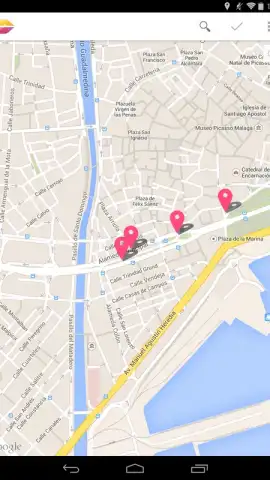
Skitch by Evernote Corporation addresses this by functioning as a unified hub for visual annotation across nearly any media type. The application’s core mechanic is its horizontal scrolling dock, which provides immediate access to distinct workspaces. A swipe of the finger reveals dedicated modules for photos from your gallery, full-screen maps, live website captures, imported PDF documents, and blank canvases. This design eliminates the initial step of file conversion or import from other editors, placing the user directly into the annotation interface. Once a background is selected, the touchscreen transforms into a precise input device, with the finger or stylus acting as a primary marker for freehand drawing and notation.
Precision Tools for Practical Tasks
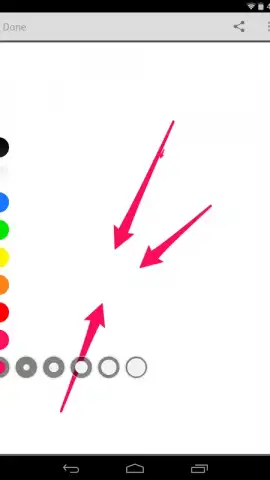
The toolset is curated for clarity and utility rather than artistic complexity. It provides the essential instruments needed for clear communication: a selection of high-contrast colored markers for emphasis, a text insertion tool with customizable fonts, and geometric shapes for underlining or boxing key information. A standout feature is the dedicated pixelation tool for instant redaction and censorship of sensitive information in photos, which operates non-destructively on the annotation layer. Every editing action is optimized for the context, whether placing directional arrows on a map snapshot, circling details in a photograph, or adding marginal notes to a PDF. The output remains clean and purpose-driven.
Seamless Integration and Sharing
The utility of an annotation is defined by how easily it can be disseminated. Skitch recognizes this by fully integrating with the Android sharing ecosystem. Upon completing an annotation, the app generates a standard image file. This file is then passed directly to the system’s native share sheet, enabling immediate distribution through any installed application—be it email, messaging platforms, cloud storage services like Evernote itself, or social media. This bypasses proprietary file formats or mandatory uploads to a specific service, ensuring the annotated work flows directly into the user’s chosen communication channel.
- Multi-Format Canvas Support: Instantly annotate over photos, maps, websites, PDFs, or blank pages from a unified scrolling menu.
- Context-Optimized Editing Tools: Employ colored markers, text boxes, arrows, shapes, and a dedicated pixelation tool for redaction.
- Native Android Sharing: Export finished work directly to any app on your device via the standard system share menu.
Download Skitch for Android now and transform your device into a powerful visual communication tool immediately!
Internet required. IAP available.


