

Smart App Lock
Smart App Lock screenshots (6)
Description Smart App Lock
A Practical Review of Smart App Lock for Android
Imagine handing your phone to a colleague to show a photo, only to realize your private messaging apps are just a tap away. Smart App Lock by spSoft addresses this common scenario directly. It functions as a digital gatekeeper for your Android device, allowing you to place virtual locks on individual applications. This review examines its core mechanics: the dual-layer protection system and its operational logic for safeguarding personal data without complicating legitimate access.
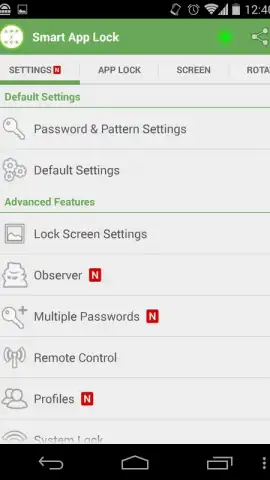
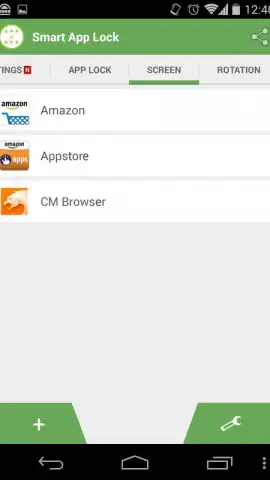
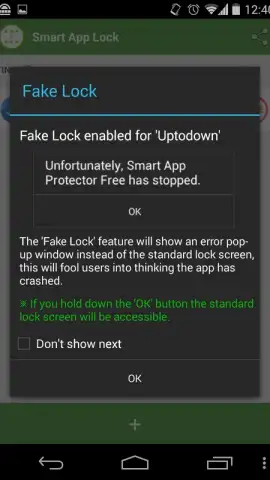
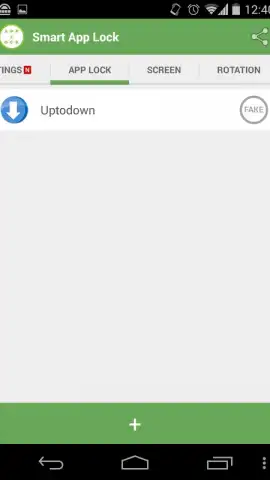
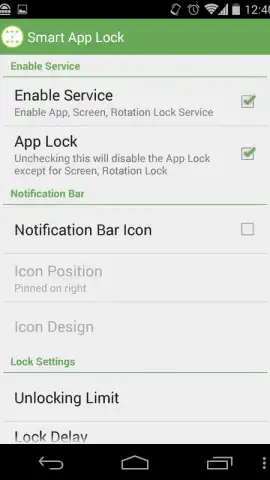
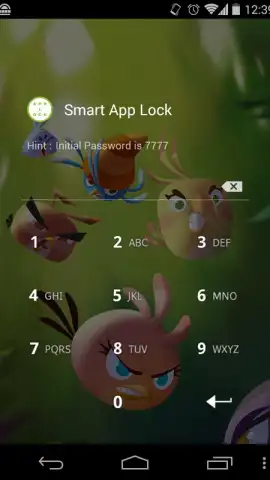
The application provides two distinct, configurable security layers. The first is a screen protection feature designed to hide designated applications from appearing on the device's lock screen or recent apps menu, reducing their visibility. The second, and more nuanced, layer is application-specific locking. This allows you to assign an access PIN, pattern, or password to any installed app, from social media to banking tools. A notable operational feature within this mode is the decoy error message. Upon an unauthorized access attempt, the app displays a fake crash or error notification. Authenticated users can bypass this screen by long-pressing the 'OK' button, a deliberate design choice to mask the protection's presence from observers.
- Dual-Mode Security: Implements both app-hiding screen protection and individual app locking with customizable passcodes.
- Decoy Error System: Displays a fake crash message to deter unauthorized users, with a secret long-press gesture for owner access.
- Selective Application Guard: Enables precise locking for sensitive apps like WhatsApp, galleries, or email clients without affecting overall device usability.
The utility of Smart App Lock lies in its targeted approach to privacy. It does not replace a full-device lock screen but supplements it by adding compartmentalized security zones. For users concerned about casual snooping or needing to share their device momentarily, it creates a necessary barrier for specific digital spaces. The absence of advertisements in its core operation, as noted, contributes to a uninterrupted user experience during both setup and daily use.
Start securing your private applications today. Download Smart App Lock now and establish your first layer of selective privacy.
Disclaimer: This application requires an internet connection for initial download and potential updates. It may contain in-app purchases for premium features. Use of this app involves the management of access permissions to other applications on your device. Please be aware of data usage policies and ensure you meet any age restrictions applicable in your region. The developer, spSoft, is responsible for functionality and data handling practices.
 GooglePlay


