

SoftKey Edge
SoftKey Edge screenshots (1)
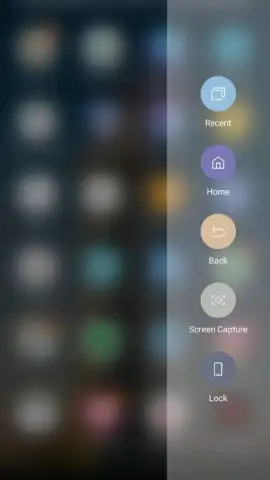
Description SoftKey Edge
What if your phone's navigation could adapt to you, not the other way around?
SoftKey Edge is a system-level personalization tool that reimagines how you interact with your Samsung device. It moves beyond static navigation bars, offering a dynamic, context-aware panel that provides quick actions, app shortcuts, and tools precisely when and where you need them. This isn't about adding another widget to your home screen; it's about integrating a seamless, intelligent control layer into the edge of your display, accessible with a simple swipe. The core mechanic revolves around a customizable edge handle that can be positioned for left or right-handed use. From this handle, you can pull out a panel housing a grid of your most-used apps, a set of customizable quick tools like a screen recorder or flashlight, and direct shortcuts to device settings that often require digging through menus. The panel's transparency and size are adjustable, ensuring it complements your workflow without obstructing content.
Features and Customization
The application provides granular control over the navigation experience. You can define multiple edge panels for different contexts—one for productivity with calculator and note-taking shortcuts, another for media with playback controls and brightness sliders. The panel supports a variety of content modules, including contacts for one-tap calling, a clipboard manager for recent copies, and even a compact task manager. A key feature is the ability to set triggers; the edge can be configured to appear when you receive a notification from a specific app or when you launch a game, offering relevant controls without interrupting your immersion. The visual design is clean and adheres to Samsung's One UI principles, with options for customizing the handle's color, the panel's background blur intensity, and the icon styles for a truly personalized look.
Key Advantages
- Contextual Intelligence: The panel surfaces relevant tools based on your current activity, reducing friction.
- Ergonomic Design: Fully adjustable positioning and trigger sensitivity cater to all hand sizes and usage grips.
- System-Level Integration: Operates smoothly with minimal battery impact, feeling like a native part of the OS.
- Deep Visual Customization: Control everything from color schemes to animation speed to match your aesthetic.
Get your bonus of effortless control and a truly personalized interface. Start streamlining your device interaction today.
Download mobile app now
Heads up: you'll need wifi for initial setup and to download additional theme packs. Some advanced customization options are part of premium themes. Requires Android 9 or later for full functionality.


