

Solid Explorer File Manager
Solid Explorer File Manager screenshots (6)
Description Solid Explorer File Manager
Tired of Hunting for Files on Your Phone?
You know the feeling. You need that one document, that specific photo, or a downloaded file, and you’re left swiping through endless, confusing folders. Your phone’s built-in file system feels like a maze, and other file managers are either cluttered with ads or painfully simplistic. What if you had a powerful, elegant, and utterly reliable command center for everything on your device? That’s the experience Solid Explorer File Manager delivers. It transforms your Android from a black box into an organized, transparent, and fully controllable digital space. Once you get used to its smooth operation and thoughtful design, you’ll wonder how you ever managed files without it.
A File Manager That Actually Understands You
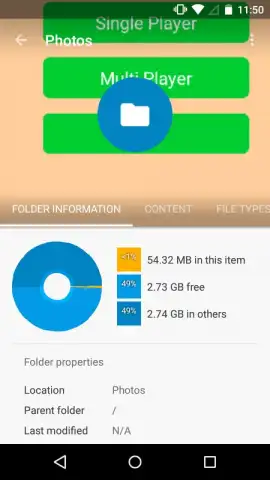
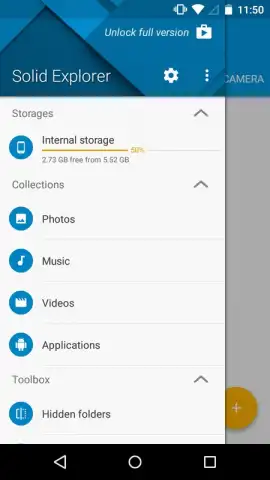
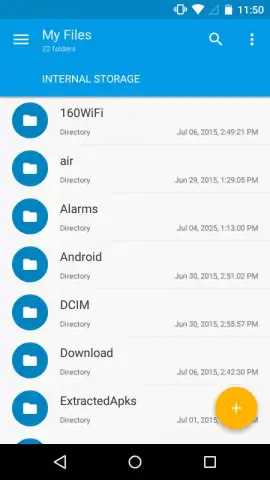
Solid Explorer doesn’t just show you files; it presents them intelligently. The moment you open the app, you’re greeted by a clean, intuitive interface designed for one-handed use. It grants you full, unfiltered access to your device’s core storage, including the SD card, so nothing is ever hidden. But the real magic is how it proactively organizes your life. The app automatically scans and indexes all your media, presenting instant, gallery-like access to your Photos, Music, Videos, and Apps in dedicated categories. Your most important files are never more than two taps away.
The dual-pane view is a game-changer for productivity. Imagine having two file browsers open side-by-side on the same screen. You can browse your downloads on the left and your cloud storage on the right, then simply drag and drop files between them. Copying, moving, or backing up files becomes a visual, effortless process that saves you countless minutes every day.
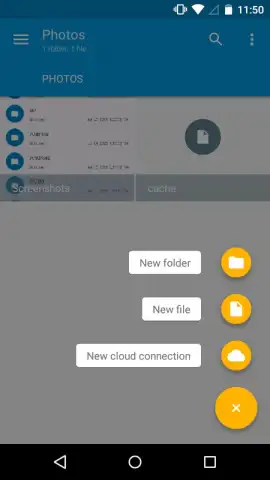
Beyond basic management, Solid Explorer is a powerhouse for advanced tasks. It handles compressed archives like ZIP, RAR, 7ZIP, and TAR natively—you can peek inside and extract files without needing another app. It even supports encrypted archives for secure access. Furthermore, it seamlessly integrates your cloud accounts like Google Drive and Dropbox directly into its main interface. Your local and cloud files exist in one unified ecosystem, allowing you to manage everything from a single, powerful hub.
- Dual-Pane Mastery: Work with two folders or storage locations simultaneously for lightning-fast file transfers.
- Smart Media Indexing: Instant access to automatically sorted galleries for Photos, Music, Videos, and installed Apps.
- Full Storage Access: Complete control over your device’s internal storage and SD card without restrictions.
- Archive & Cloud Power: Open, create, and extract ZIP, RAR, 7ZIP, TAR files, and connect to Dropbox, Google Drive, and more.
- Clean, Ad-Free Interface: Enjoy a premium experience focused entirely on your productivity, not advertisements.
- Encrypted File Support: Securely access password-protected archives directly within the app.
You’ve waited long enough for a file manager that matches the sophistication of your device. Consider downloading Solid Explorer File Manager now to experience a new standard of control and elegance.
Download Solid Explorer File Manager now and organize your digital world.
Heads up: you'll need wifi for most cloud features. Some cool advanced features are part of the optional premium upgrade.
 GooglePlay


