

Soundcore
Soundcore screenshots (7)
Description Soundcore
Your Central Hub for Soundcore Audio Devices
Imagine purchasing a premium pair of wireless headphones, only to realize their full potential is locked behind a companion app you don’t have. For owners of Soundcore by Anker audio products, that essential key is the Soundcore application. This dedicated software serves as the central command panel, transforming compatible earbuds, headphones, and speakers from simple playback devices into fully customizable audio systems. It bridges the gap between hardware capability and user preference, ensuring your specific device operates at its peak performance while offering direct access to support and new product discoveries.
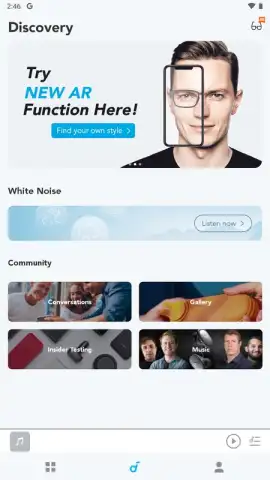
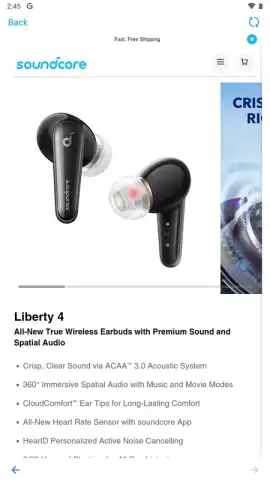
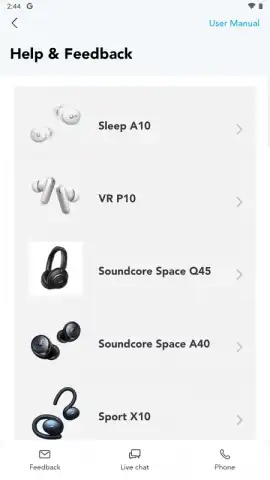
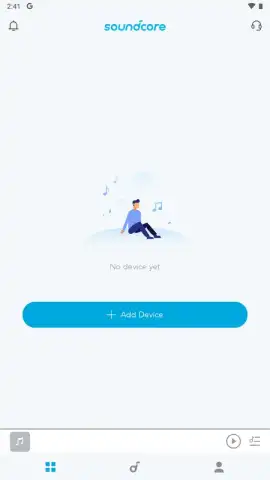
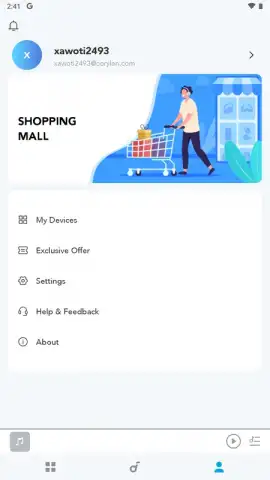
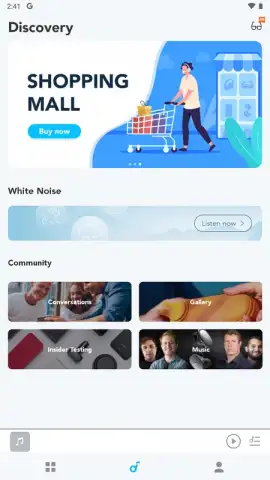
The core functionality of the Soundcore app is built around three technical pillars: audio customization, device maintenance, and user support. Upon launching the app and creating an account, it performs a Bluetooth scan to detect and pair with nearby Soundcore devices. The interface then provides granular control over sound output through equalizer presets and custom profiles, allowing for precise adjustments to bass, treble, and mids. A dedicated firmware update section ensures your device’s internal software remains current, often enabling new features or performance improvements post-purchase. For technical issues, the app integrates direct access to support resources and guides. Furthermore, it functions as a branded storefront via a secure WebView, showcasing the entire Soundcore ecosystem, from sleep headphones to speaker-equipped sunglasses, available for purchase without leaving the application environment.
- Customizable Sound Profiles
- One-Click Firmware Updates
- Integrated Product Store
The application maintains exclusive compatibility with the Soundcore hardware ecosystem. It is engineered to communicate specifically with an extensive range of the brand’s products and will not function with audio devices from other manufacturers. Below is a comprehensive list of supported models, including speakers, headphones, earbuds, and conference devices:
Flare, Flare +, Flare S+, Rave, Rave Mini, Mega, Trance, Wakey, Icon+, Motion+, Infini Pro, Model Zero, Model Zero+, Liberty 2 Pro, Liberty Air 2, Liberty 2, Life NC, PowerConf, Flare 2, Rave Neo, Rave Partycast, Trance Go, Soundcore Mini 3, Motion Boom, Soundcore 3, Boost, Life Q30, Life Q20+, Life Q35, Life Tune, Life Tune Pro, Life Tune XR, Life A2 NC, Life Dot 2 NC, Life Dot 2S, Liberty Air 2 Pro, Life P3, Liberty Neo 2, Liberty 3 Pro, Rave+, Select 2, Life Dot 2 XR, Rave Neo SE, Life Tune Pro, Soundcore Mini 3 Pro, Life Note 3, Life Note 3S, Life 2 Neo, Life Q10i, Life Dot 3i, Soundcore Dot 3i, Life Note 3i, Soundcore Note 3i, Sport X10, Life A3i, Soundcore A3i, Life P3i, Soundcore P3i, Space A40, and Space Q45.
To unlock the complete feature set of your Soundcore device, including advanced audio tuning and the latest firmware enhancements, we suggest installing the official Soundcore application. Consider downloading it to take direct control of your audio experience and maintain your device.
Disclaimer: This application requires an active internet connection for initial account setup, firmware updates, and accessing the in-app store. The app may contain in-app purchases for additional content or services. It is designed for use with Bluetooth-enabled Soundcore audio devices only. User data may be collected in accordance with the developer's privacy policy. Please ensure your device meets the compatibility requirements before installation.
 GooglePlay


