
ssLauncher
ssLauncher screenshots (9)

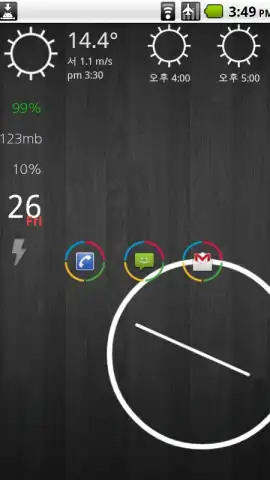
Description ssLauncher
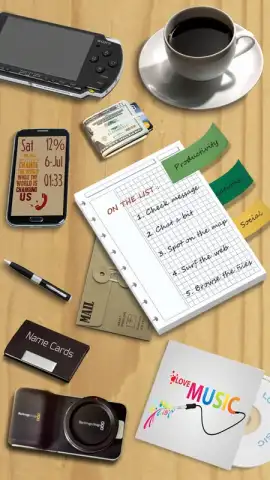
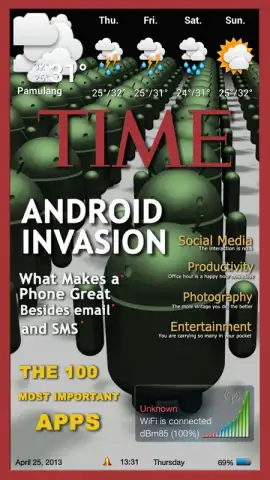
Tired of your phone looking exactly like everyone else's? What if you could transform your Android's home screen into a dynamic, magazine-style cover that's a pure reflection of your personal style? Imagine an interface that doesn't just hold your apps, but showcases them as part of a living, breathing digital canvas. That's the creative revolution ssLauncher brings directly to your fingertips. This isn't just another launcher; it's a comprehensive design studio that hands you the tools to break free from the grid and build an experience that's uniquely, unmistakably yours.
Your Phone, Your Masterpiece
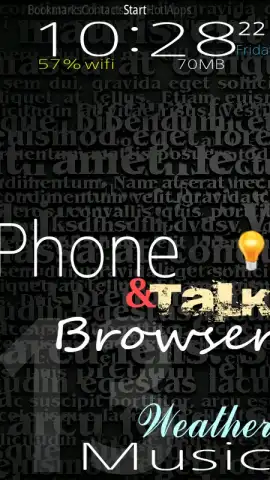
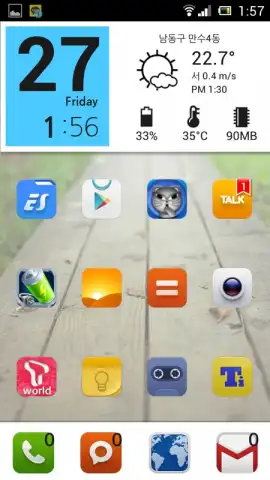
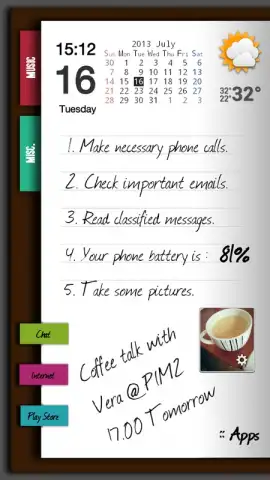
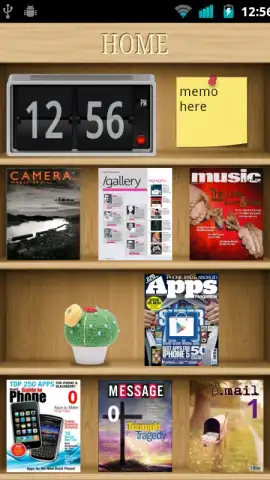
ssLauncher redefines Android personalization by treating your home screen as a blank page for your creativity. Forget rigid icon grids. Here, you have absolute artistic freedom to place, resize, and layer shortcuts and widgets anywhere you desire, supported by smooth vertical scrolling across all your pages. The core of this transformation is deep visual customization: apply stunning background images, experiment with diverse screen layouts that adapt to portrait and landscape, and even import elegant font files to give your shortcut labels a truly bespoke typographic look. Every tweak, from the color of a label to the spacing of a widget, contributes to a cohesive aesthetic that feels personally curated.
A Dynamic & Intelligent Interface
Beyond looking beautiful, your new home screen becomes incredibly smart and responsive. Create dynamic widgets that pop up with a simple tap to deliver real-time information—think live date and time updates, counts of missed calls, or unread messages, all without opening a single app. Navigation is streamlined through quick-access pages for contacts, bookmarks, and intelligently grouped applications. The app drawer is supercharged with powerful tools: create folders, hide or reveal apps on demand, mark favorites, and fully customize app icons and names. Managing everything is a breeze with intuitive drag-and-drop for grouping apps and a simplified removal process.
Advanced Control & Seamless Sharing
For the true power user, ssLauncher offers profound control. You can hide the status bar for a truly immersive look, accessed with a simple downward swipe. The pinnacle of customization is the ability to save your complete creations—themes, page layouts, and all settings. You can even convert these saved theme files into standalone APKs. This powerful feature not only lets you backup your perfect setups but also makes sharing your unique designs with friends incredibly easy, turning your creativity into a shareable asset. It consolidates your needs, eliminating the requirement for separate widget or text apps to achieve a dynamic and deeply personalized user experience.
Here’s what you can build with ssLauncher:
- Total Layout Freedom: Drag, drop, and resize shortcuts & widgets anywhere with vertical scrolling. No grids, no limits.
- Deep Visual Customization: Personalize with custom backgrounds, screen layouts, and imported font files for unique text styling.
- Smart Dynamic Widgets: Create pop-up widgets for live info like time, date, missed calls, and messages.
- Streamlined Navigation: Quick-access pages for contacts, bookmarks, and user-defined app groups.
- Powerful App Drawer: Features folders, app hiding, favorites, and full icon/name customization.
- Advanced Theme Management: Save complete themes, convert them to APK files, and easily share your designs.
- Immersive Viewing: Option to hide the status bar with a simple swipe for a clean, full-screen look.
- Gesture Controls (Premium): Assign actions to four-directional swipes on shortcuts for faster access (expanded in premium).
Stop dreaming about a better home screen and start building it. Download ssLauncher now and claim your creative advantage—transform your device into a signature statement today!
Heads up: An active internet connection is recommended for accessing theme sharing and some advanced features. The core launcher functionality works offline. The free version is fully featured with optional gestures and advanced theming tools available via in-app purchase.


