
SwifDoo PDF
SwifDoo PDF screenshots (4)
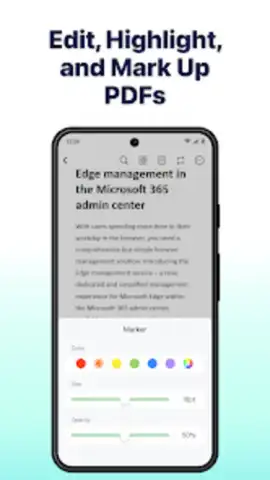
Description SwifDoo PDF
Tired of PDF Chaos Slowing You Down?
You know the frustration. A critical contract needs a signature before lunch. A report requires last-minute edits from your phone. A scanned document is just an unsearchable image. Your productivity grinds to a halt, trapped between different apps and clumsy online tools. What if you had a single, powerful command center for every PDF task, right in your pocket?
Your All-in-One PDF Powerhouse, Optimized for Mobile
SwifDoo PDF transforms your Android device into a complete PDF workstation. This isn't just a viewer; it's a full suite of tools designed for the professional on the move. Handle complex document workflows directly from your phone or tablet with an interface that makes advanced features feel simple and intuitive.
Imagine compressing a bulky portfolio to email-friendly size in two taps, or merging slides from three different presentations into one seamless deck while commuting. Need to sign a document? Add your signature or initials with your finger or stylus as easily as writing on paper. Filling out forms becomes a breeze with intelligent field recognition. The app also acts as a capable scanner, turning photos of whiteboards, receipts, or pages into crisp, clear PDFs.
For deeper editing, you can precisely rearrange, delete, or insert new pages into any document. Protect sensitive proposals with password encryption or redact confidential information permanently. The robust OCR (Optical Character Recognition) engine is a game-changer, turning scanned documents and images into editable and searchable text, unlocking the data trapped inside your files.
Why This Becomes Your Indispensable Business Tool
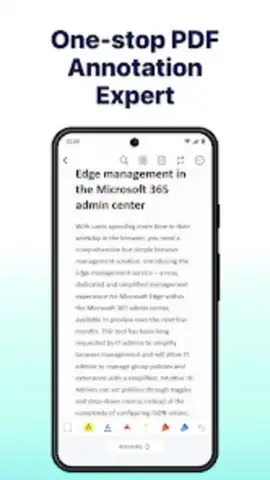
- Unified Professional Toolkit: Eliminate app-switching. Edit, annotate, convert, compress, sign, and organize all from one clean, ad-free interface.
- Precision Editing & Formatting: Make text corrections, adjust images, and redesign page layouts directly on your mobile device with pixel-perfect control.
- Intelligent Document Conversion: Reliably convert PDFs to Word, Excel, PowerPoint, and other formats while preserving original formatting for flawless further editing.
- Advanced Security & Organization: Apply passwords, set permissions, and permanently redact text. Combine, split, and bookmark documents to keep every project perfectly ordered.
- Optimized for Mobile Workflows: Features like the mobile scanner, one-tap compression, and touch-based signing are built for real-world use anywhere, anytime.
Stop compromising your workflow. Download SwifDoo PDF now and handle any document challenge instantly, professionally, and from anywhere. Get it immediately!
Requires an internet connection for certain conversion and OCR features. The app may offer optional in-app purchases for premium functionality.
 GooglePlay


