

Tap Counter
Tap Counter screenshots (2)
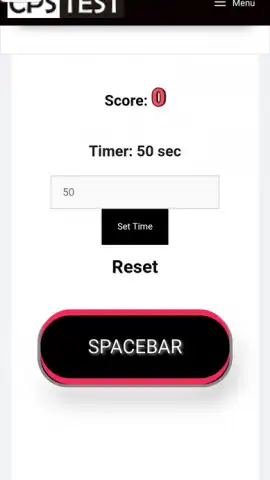
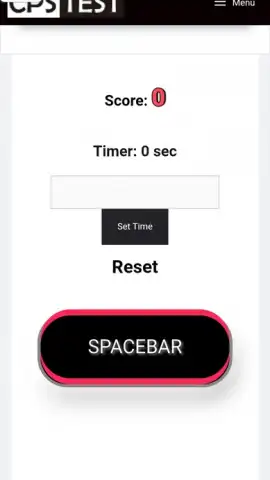
Description Tap Counter
Imagine a moment of intense focus, a repetitive task, or a simple daily tally where your mind drifts and the count is lost. This subtle friction, this cognitive load of remembering a number, is what the Tap Counter app elegantly eliminates. It transforms your device into a dedicated, zero-distraction counting tool, perfect for inventory, workouts, event attendance, or any scenario where manual tracking is required.
Core Functionality & Analytical Tools
The app operates on a principle of minimalist efficiency. A single, large tap area dominates the interface, incrementing the count with each press, accompanied by a subtle haptic or auditory feedback cue that confirms the input. This core mechanic is supported by a suite of organizational features designed for real-world use. You can create and label multiple independent counters for different projects—'Boxes Packed,' 'Laps Completed,' 'People Entered'—saving each session's total. The history log provides a timestamped record of all counts, allowing for basic trend analysis. For advanced tracking, the app includes a batch counting mode, where a single tap can add a predefined value (e.g., +5, +10), significantly speeding up the process for bulk items.
Key Operational Advantages
The primary strength of Tap Counter lies in its uncompromising focus on user experience and reliability. The interface is clean and highly responsive, with no lag between tap and count registration, which is critical for maintaining rhythm during fast-paced counting. Visually, it offers customizable themes to reduce screen glare during prolonged use and allows for adjustment of the tap sensitivity to prevent accidental inputs. Its performance is optimized for minimal battery drain, ensuring it can run in the foreground for extended periods without impacting your device's core functions, making it a dependable tool rather than a novelty.
- Multi-Counter Projects: Create and manage separate, labeled counters for different tasks, keeping all your tallies organized and instantly accessible.
- Session History & Logs: Automatically save and review timestamped counting sessions with a detailed history for accurate record-keeping and analysis.
- Batch & Deduct Modes: Count in large increments or subtract values with dedicated buttons, enabling efficient tracking for inventory and complex tallies.
Download Tap Counter now and secure exclusive, early access to its premium ad-free experience. This limited-time offer grants first users unrestricted use of all advanced counting modes—don't miss out on transforming your phone into the most reliable tally tool you own.
Internet required. IAP available.


