

Text Viewer
Text Viewer screenshots (6)
Description Text Viewer
Imagine you've just downloaded a crucial document or a fascinating eBook, only to find your phone's default viewer can't handle the encoding, turning the text into garbled symbols. That frustration ends here. Text Viewer is the definitive, no-nonsense tool engineered for Android users who demand flawless, effortless reading of any text-based file. It cuts through compatibility chaos, delivering a powerful, customizable, and ad-free reading experience right in your pocket.
Core Functionality & Reading Experience
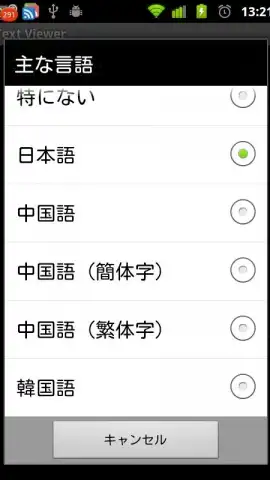
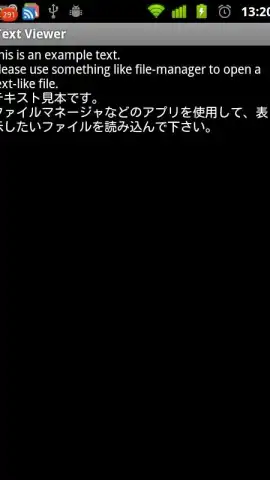
This application is built on robust technical foundations, starting with its universal compatibility with Android devices running version 1.6 and above. Its most critical technical feature is automatic character encoding detection, which seamlessly interprets and displays files in their original language without manual input. This ensures perfect rendering of multilingual content, including complex scripts like Japanese, Simplified and Traditional Chinese, and Korean.
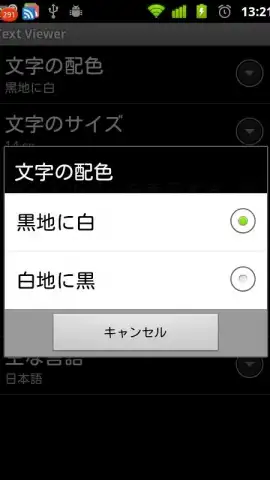
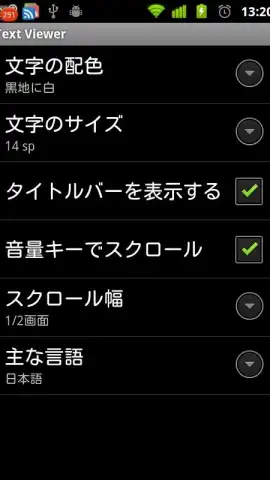
The app provides two distinct visual modes engineered for specific use cases. The first is a dark theme with pure white text on a true black background. This mode is specifically optimized for OLED and AMOLED displays, where black pixels are completely turned off, resulting in significant battery conservation during extended reading sessions. It also drastically reduces eye strain in low-light conditions. The second is a classic light theme with black text on a white background, ideal for well-lit environments and traditional reading preferences.
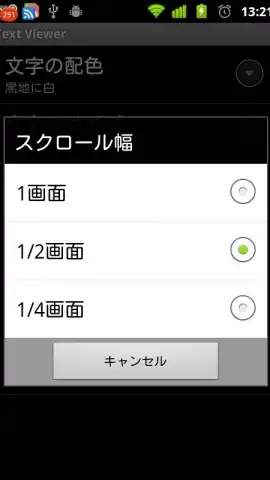
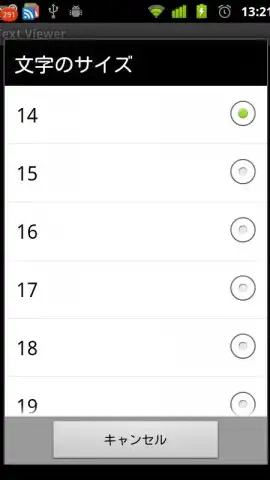
User control is precise and hardware-integrated. Beyond standard touch scrolling, the app allows you to remap your device's physical volume keys for document navigation. You can define the exact scroll increment—whether line-by-line or by paragraph—transforming these buttons into a dedicated scrolling mechanism for single-handed, distraction-free reading. Font size adjustment is instantaneous and granular, letting you tailor text display from compact to large print with a simple slider.
Optimized Feature Highlights
- Automatic multilingual encoding detection
- OLED-optimized dark theme for battery
- Volume key remapping for scrolling
- Granular, instant font size control
- Support for complex Asian character sets
- Lightweight, fast file processing engine
This is your exclusive invitation to transform how you interact with text on your Android device. For a limited time, experience premium, ad-free document viewing engineered for performance and comfort. Download Text Viewer now and unlock flawless reading today—this optimized access is reserved for our first wave of users.
Disclaimer: This application requires an internet connection for initial functionality verification and potential future updates. It contains no in-app purchases. The app is rated for all ages but is intended for general use. Data usage is minimal and related to core application processes. Please ensure your device meets the Android 1.6+ compatibility requirement. Features are subject to change based on development updates.


