

TG Recorder - Screen Recording
TG Recorder - Screen Recording screenshots (7)
Description TG Recorder - Screen Recording
The Silent Observer in Your Pocket
Imagine needing to capture a fleeting glitch during a video call, save a crucial segment from a live stream, or create a clear tutorial without cumbersome equipment. Most screen recorders interrupt the flow with obtrusive controls and leave you with unmanageable files. TG Recorder approaches this differently, positioning itself not as a disruptive tool, but as a seamless extension of your device's native functionality. It operates on a principle of minimal intervention, allowing you to document, analyze, and share your screen's activity with a focus on clarity and post-capture control, turning reactive recording into a proactive part of your digital workflow.
A Toolkit for Fidelity and Function
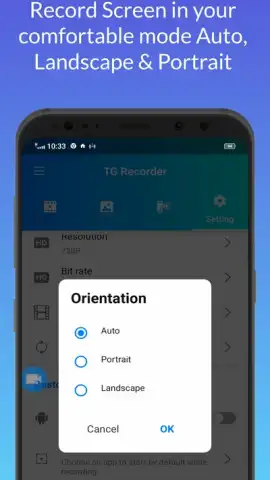
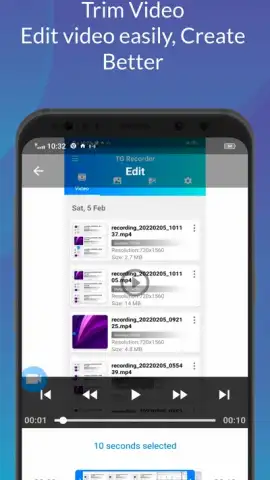
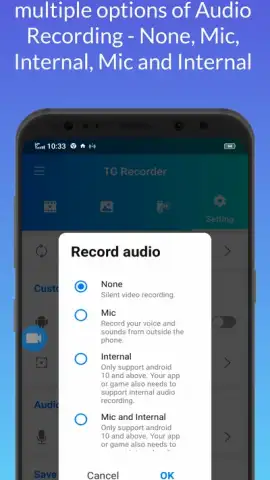
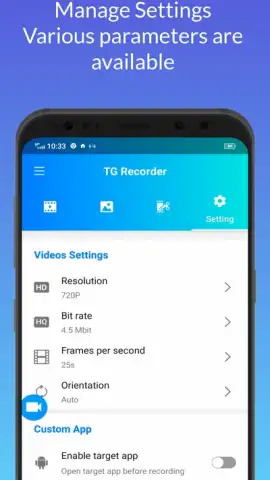
The core mechanics of TG Recorder are built around high-fidelity capture and intuitive management. The application grants full control over recording parameters, allowing you to select specific resolutions and frame rates to balance quality and file size, which is essential for lengthy captures or resource-constrained devices. A unique and practical feature is the ability to record internal audio simultaneously with microphone commentary, enabling clear tutorial narration or gameplay reaction tracks without complex audio routing. Post-recording, the integrated viewer and basic trimmer let you immediately review and edit the capture, removing unwanted segments before sharing or storage, effectively condensing the workflow from record to result into a single, fluid environment.
Key Operational Advantages
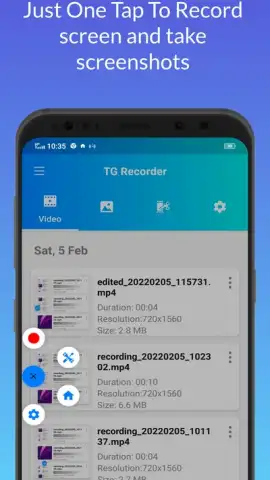
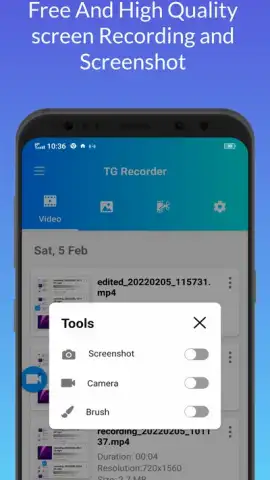
The utility of TG Recorder is defined by its deliberate design choices that prioritize a clean user experience. The interface avoids clutter, presenting a simple, persistent control that can be summoned and dismissed without obscuring content. Performance is optimized for stability, aiming to prevent the crashes or frame drops that often plague screen recording during resource-intensive tasks. Furthermore, it offers customizable touch feedback indicators, providing visual confirmation of taps and swipes during recording—a critical detail for creating comprehensible software guides or gameplay tutorials.
- Configurable video quality settings for full control over resolution and frame rate per recording.
- Dual-channel audio capture merging system sound and microphone input into a single track.
- Integrated video trimmer and player for immediate review and editing after capture ends.
- Floating control widget for easy one-tap start, pause, and stop without leaving your app.
- Visual touch feedback display to highlight interactions clearly in tutorial recordings.
Download TG Recorder Now
For a limited time, experience a streamlined approach to screen documentation. This version offers exclusive, ad-free access to all core recording features for the first wave of users. Transform how you capture your screen today.
Internet required. IAP available.


