
TV Remote Control
TV Remote Control screenshots (4)
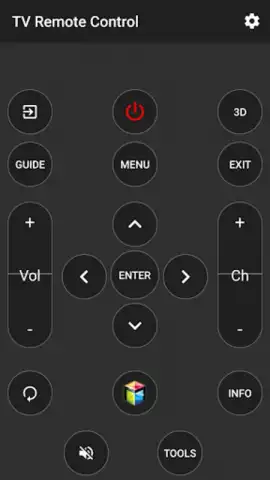
Description TV Remote Control
Ever find yourself searching for a physical remote, only to realize it’s buried under a cushion or on the other side of the room? What if your smartphone could seamlessly become a universal controller for your entertainment system?
Core Functionality & Control Modes
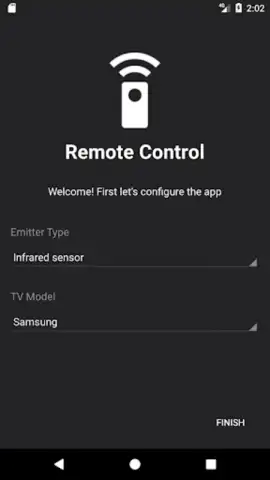
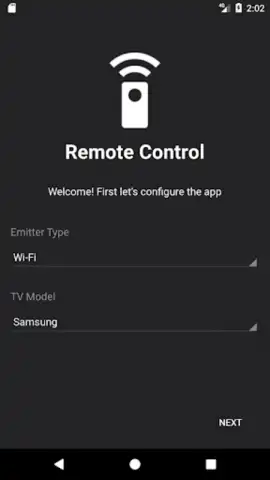
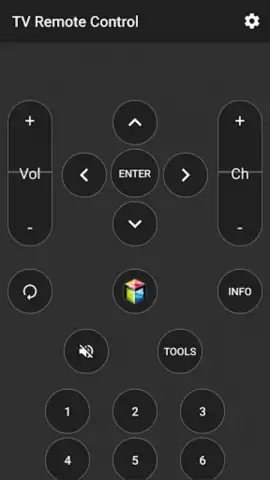
This application transforms your Android device into a sophisticated, multi-protocol remote control. It operates by connecting to your home network, allowing it to communicate with a wide array of smart TVs, set-top boxes, streaming sticks, and even some audio systems. The core mechanic involves selecting your device manufacturer from an extensive database, after which the app loads a precise, digital replica of the original remote’s layout onto your screen. Tapping virtual buttons sends corresponding infrared (IR) signals via your phone’s IR blaster, or transmits commands over Wi-Fi for compatible devices. Beyond basic navigation, it offers specialized control panels for popular streaming services, allowing for direct app launching and in-app navigation.
Key Advantages & User Experience
The primary strength lies in its consolidation of control. Instead of juggling multiple physical remotes for your TV, soundbar, and Fire TV Stick, you manage everything from one intuitive, backlit interface. The user experience is built on customization and clarity; you can create favorite button panels, adjust layouts for one-handed use, and utilize smart search functions that aggregate results across installed apps. Performance is focused on low-latency response, with optimized signal transmission to prevent lag. Visually, the app provides both classic button layouts and modern, minimalist themes, with high-contrast options for better visibility in dark home theater environments.
- Universal Device Compatibility: Control thousands of TV, streaming, and audio device models from a single, centralized interface.
- Customizable Control Panels: Create and save personalized layouts with your most-used buttons and shortcuts for instant access.
- Smart Search & Voice Input: Enter search queries with your voice or keyboard and see results from Netflix, YouTube, and more simultaneously.
Don't wait! Transform your phone into the only remote you'll ever need and streamline your viewing experience today. Download the mobile app now!
Heads up: you'll need wifi for most features. Some cool stuff is extra.
 GooglePlay


