

UDL App
UDL App screenshots (7)
Description UDL App
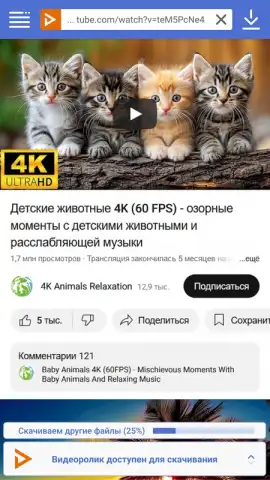
Imagine you've just found the perfect tutorial, a live concert, or a documentary on YouTube, but you're about to head into an area with no internet. The frustration of losing access is a common digital experience. The UDL App transforms that scenario by allowing you to permanently save that content directly to your Android device with a single action, functioning as a capable video player while adding a powerful download layer over platforms like YouTube and OK.ru.
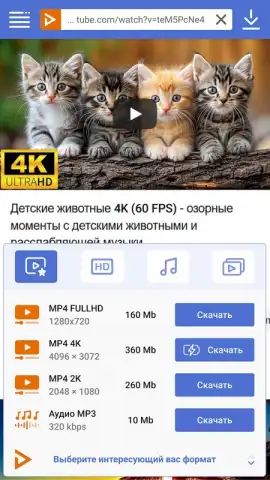
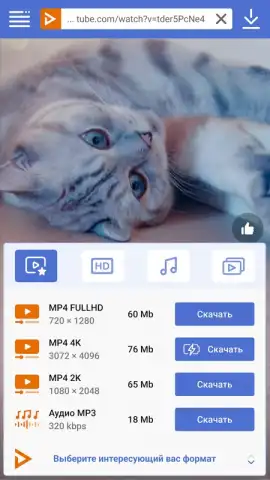
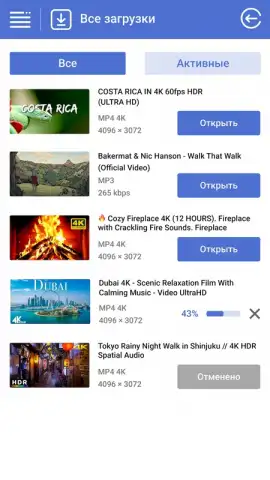
This utility operates as a dedicated media acquisition tool. It processes public video links to extract and save files locally. The system supports multiple output containers, including MP4 for video with audio, and MP3, M4A, or WEBM for audio-only extraction. Video downloads are available across a standard resolution ladder, from 360p up to 8K Ultra HD, including high-frame-rate options like 60 fps for smoother motion playback. A technical note: for certain high-quality downloads, the application performs a muxing process, combining separate audio and video streams from the source; this operation is more computationally intensive and can lead to increased battery consumption during the processing phase, though it is negligible for smaller files.
Core Functionality Overview
- Multi-Format Video Download: Save videos as MP4 files with integrated audio, available in resolutions from 360p to 8K Ultra HD, including support for 60fps high-frame-rate content.
- Audio Extraction & Conversion: Download audio tracks directly from online videos, exporting them in MP3, M4A, or WEBM formats at the highest available bitrate for quality preservation.
- Integrated Media Library Management: Acts as a local video player, organizing downloaded MP4, MP3, and WEBM files on your device for offline access without recurring data usage.
We suggest trying the UDL App to build a permanent, offline-accessible library of video tutorials, music, and documentaries directly on your Android device.
Download mobile app now
Note: This application requires an active internet connection to fetch and process online media content. The developer may offer optional in-app purchases.


